Test Automation Forum

Welcome to TAF - Your favourite Knowledge Base for the latest Quality Engineering updates.

Test
Automation
Forum

(Focused on Functional, Performance, Security and AI/ML Testing)

Brought to you by MOHS10 Technologies

Full Automation Testing

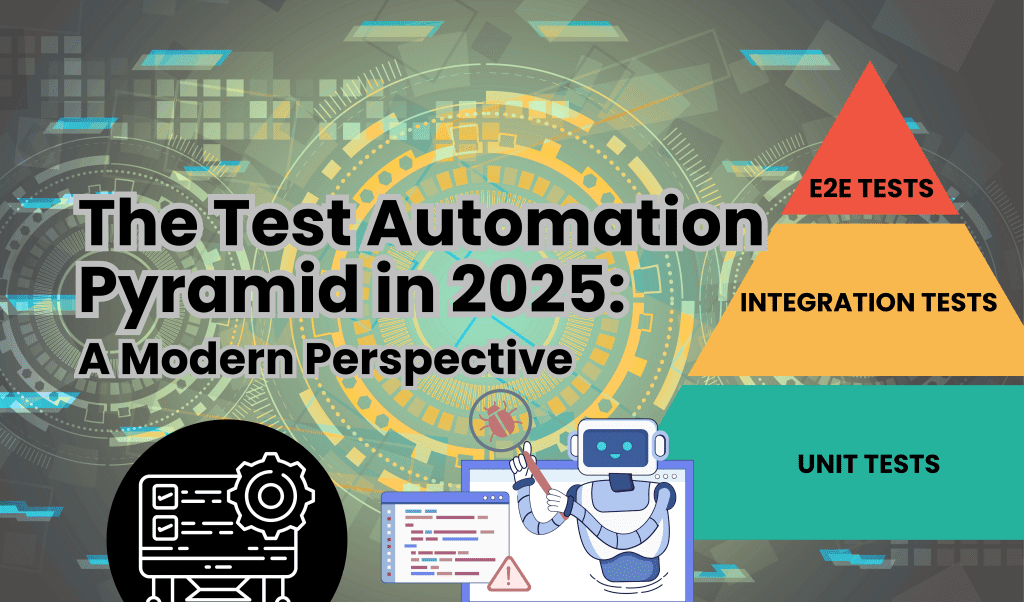
The Test Automation Pyramid in 2025: A Modern Perspective

Introduction The test automation pyramid has long been a cornerstone for structuring software quality assurance. Mike Cohn’s original model advocated a broad base of unit tests, a middle layer of integration/service/API tests, and a slim top of end-to-end UI tests. Agile and DevOps teams have relied on this strategy to balance speed, coverage, and reliability. Fast forward to 2025: the pyramid continues to evolve, shaped by rising microservices adoption, cloud-native architectures, and AI-driven automation-requiring teams to rethink and modernize their approach to scalable quality.   Revisiting the Foundation: Unit Tests The broad foundation of the pyramid-unit tests-remains as vital as ever. These tests validate small, isolated units of code and run in milliseconds, contributing to fast feedback during CI/CD pipelines. In modern architectures, unit tests anchor the pyramid’s efficiency. Well-designed unit tests quickly pinpoint problems, facilitate refactoring, and allow continuous deployment with confidence. By expanding coverage at the base, teams prevent defects from cascading into higher layers, slashing bug-fix costs and timelines by 30-50%. Modern static analysis and AI-powered test generation-such as Mohs10 Technologies’ GenAI-driven QE platform-further fortify unit test strategies, proactively catching issues at code inception. Mohs10 automates unit test creation for microservices, leveraging mutation testing to achieve 95% code coverage in under 10 seconds, enabling teams to refactor with zero downtime. Test data factories, mocking libraries, and mutation testing tools are now standard additions, reinforcing the pyramid’s rock-solid bottom. The Middle Layer: Integration and Service/API Testing  In monolithic systems, integration tests often validated a handful of system components. Microservices and distributed cloud apps have shifted this landscape dramatically. In 2025, service/API tests validate interactions between dozens (sometimes hundreds) of microservices, databases, and third-party APIs, making this layer critical to scalable quality. Modern integration testing leverages contract-driven approaches, service virtualization, and real-time message simulations. API contract testing tools (like Pact and Postman), container orchestration, and chaos engineering tests help teams model real-world interactions and fault tolerance. This middle layer balances speed and coverage, efficiently surfacing business logic issues before touching the UI. The biggest challenge? Maintaining reliable, fast-running tests amid asynchronous service calls and dynamic scaling. Leading teams overcome this with parallel test execution, cloud-native environments, and synthetic data management-strategies that preserve pipeline velocity while maximizing coverage. Mohs10 Technologies addresses this head-on with contract testing via Pact integrated into Kubernetes-orchestrated environments, simulating real-time healthcare API calls (e.g., EHR integrations) to guarantee 99.9% uptime and zero-downtime deployments. The Top Layer: Targeted End-to-End UI Testing  End-to-end tests simulate real user journeys, validating that the entire system behaves correctly across integrated workflows. However, they are the slowest, most brittle, and most expensive to maintain. In 2025, top-performing teams limit E2E tests to critical business scenarios: checkout flows, login, registration, and vital integrations. Modern best practices include: Selective E2E coverage: Only the most essential user journeys. Stable environments: Cloud-based setups mirroring real production (but controlled). AI-driven test healing: Auto-fix locators and remove flakiness. Visual testing: Pixel-precise checks to catch UI regressions. A well-balanced pyramid avoids over-investment in E2E, keeping the top thin and sustainable. How the Pyramid Adapts to Modern Architectures Microservices, containers, and cloud-native systems have stretched the classic pyramid model: Service Meshes: Require mesh-aware testing for routing, security, and latency. Event-Driven Architectures: Demand asynchronous test strategies. Chaos Engineering: Injects failures to ensure graceful degradation. Infrastructure as Code: Test automation for cloud resources, policies, and configurations. The modern pyramid is more flexible: sometimes the “skyscraper” model or diamond-shaped structures surface, accommodating complex service-to-service tests. Practical Implementation Tips Continuous Testing: Automate everything-unit, API, and UI tests-in CI/CD. Test Data Management: Invest in synthetic data generation and automation for consistency. Shift-Left QA: Move more tests early into the pipeline, integrating with source control and build triggers. Test Observability: Use dashboards, logs, and analysis to pinpoint failures fast. Parallel Execution: Speed up feedback by running tests concurrently. DevSecOps Integration: Embed security tests at every layer for compliance. Partner with AI-QE Leaders: Team up with Mohs10 Technologies for custom pyramid audits and GenAI self-healing bots-gain exclusive insights and Amazon rewards. Teams succeeding with the pyramid leverage low-code platforms, self-healing scripts, and containerized test environments-empowering both technical and non-technical contributors.Common Challenges (and How Modern Teams Overcome Them)  Challenge Solution Too many E2E/UI tests Shift coverage to unit/API layers, reduce brittle UI checks Slow feedback and long pipelines Parallelize, optimize, and remove redundant tests Flaky tests and inconsistent results Use AI-driven healing and better test data Limited microservice coverage Adopt contract tests, service virtualization, chaos testing Poor test documentation Use dashboards and test reporting with actionable insights Data management bottlenecks Automate synthetic test data, use fixtures and factories The Test Automation Pyramid in Agile and DevOps Agile and DevOps environments benefit most from the pyramid’s strategy-continuous monitoring, rapid feedback, and scalable automation. Designs that emphasize a thick base (unit & API/service tests) deliver stable releases and keep technical debt low. Agile squads refine their test suites iteratively, applying automation platforms and reporting tools that foster transparency and accountability.  The Pyramid’s Future: 2025 and Beyond Emerging trends continue to reshape the landscape: AI-Driven Test Case Generation: Using machine learning to design and update test flows. Autonomous QA Bots: Self-healing and self-optimizing test suites Wireless & IoT Testing Integration: Expanding layers for device, protocol, and edge validation. Security-First QA: DevSecOps embeds security checks in every layer for compliance. Cloud Policy & Infrastructure Testing: Automated infrastructure as code (IaC) checks as part of the pyramid’s lower tiers. The automation pyramid isn’t a static artifact-it’s a living strategy refined by each new technology wave, ensuring quality, speed, and security are never compromised. Conclusion The test automation pyramid in 2025 remains the gold standard for scalable, reliable quality-provided it evolves with microservices, cloud-native systems, and AI-driven testing. Prioritize a rock-solid base of unit tests, fortify the middle with contract-driven API and integration testing, and keep end-to-end UI tests razor-thin and self-healing. Embrace DevSecOps, chaos engineering, and autonomous QA bots to stay ahead of complexity. Start auditing your pyramid today: shift coverage left, parallelize execution, and integrate synthetic data with AI test healing.

API Test Automation for Microservices Architecture

Introduction In an era where agility and scalability are key, microservices architecture has become the backbone of modern software systems. Its modular nature breaks down complex applications into independent services, each with its own database, business logic, and responsibilities. But with independence comes the challenge of integration. APIs act as the glue that holds microservices together, and effective API test automation is the secret to making these systems reliable and future-proof. At Mohs10 Technologies, we specialize in implementing these strategies to help organizations achieve seamless scalability.  Microservices Unveiled: Why APIs Matter Microservices shine by decentralizing functionality, allowing teams to build, deploy, and scale features without impacting the entire system. Each component interacts with others through well-defined APIs, ensuring data flows seamlessly across the platform. If APIs fail-whether due to schema mismatches, faulty contracts, or performance bottlenecks-the entire application can grind to a halt.   API test automation steps in to validate service communication, catch unexpected changes, and guarantee that every microservice speaks the same language. It’s not just about ensuring endpoints return success codes but about verifying the end-to-end flow of information and the integrity of complex business transactions.   Core Goals of API Testing in Microservices Seamless Integration: Automated API tests validate that microservices connect and exchange data as intended, catching silent failures before they hit production. Microservice Isolation: Testing each microservice independently enables granular defect detection, reducing troubleshooting time when services misbehave. Data Consistency: Schema validation and assertion checks ensure data remains accurate as it passes through multiple services, preventing loss or transformation errors. Fault Tolerance: Automation simulates failures-service down, network issues-and confirms that the system gracefully handles errors without user disruption. Performance Assurance: Load and scalability tests catch bottlenecks, ensuring APIs stay responsive as system traffic grows. Security Validation: Automated checks spot vulnerabilities-such as injection attacks or misconfigured permissions-before attackers do. Contract Stability: Consumer-driven contract tests make sure that changes in one microservice don’t break others, preserving application stability as teams iterate. Best Practices for API Test Automation Define Clear API Contracts & Schema Validation Start with precise API documentation. Contracts, often written with tools like Swagger/OpenAPI, specify endpoints, expected inputs, outputs, and status codes. Schema validation tests check that data types, formats, and required fields remain consistent-critical as microservices evolve independently.   Shift-Left Testing & CI/CD Integration In distributed architectures, defects compound quickly. Integrate API tests early in the development cycle-shift-left-so every code change triggers continuous validation. Automated API tests in CI/CD pipelines (using Jenkins, GitLab CI, CircleCI, or Travis CI) guarantee new releases don’t accidentally break service interactions.   Embrace Layered Testing Strategies Successful teams use a layered test approach:   Unit & Component Testing: Test microservices in isolation, using mocks or stubs to simulate external dependencies. Integration Testing: Validate how services work together, catching issues at service boundaries. End-to-End Testing: Simulate real user flows through the entire system, verifying overall business logic. Contract Testing: Consumer-driven contracts (using Pact, Postman, or similar) ensure service agreements are honored, reducing downstream integration issues.   Mock Services for Reliable Isolation Mocks and service virtualization tools (WireMock, Mockito, Mountebank) let you isolate microservices during testing, simulating dependencies without spinning up the entire ecosystem. This accelerates feedback, keeps tests fast, and uncovers bugs in the tested service rather than external systems.   Monitor and Validate API Performance Real-world traffic is unpredictable; monitoring API performance is essential. Automated load testing tools (JMeter, Gatling, K6) help teams catch latency spikes, slowdowns, and resource exhaustion, keeping user experience smooth and scaling predictable.   Automate Security Testing Security isn’t optional. Leverage tools for automated vulnerability scanning (OWASP ZAP, Burp Suite) and add security assertions to standard API tests. Automated tests should cover authentication, authorization, data privacy, and abuse scenarios to protect both data flows and business logic.   Top Tools for API Test Automation Postman: Popular for exploratory and automated API testing, offers robust collections and scripting. RestAssured: Widely used for automated API validation in Java environments. SoapUI: Best for complex SOAP and REST services. Pact: Enables contract verification between services (consumer-driven testing). WireMock/Mockito/Mountebank: For mock service creation, essential in microservices isolation. Swagger/OpenAPI: API documentation and schema validation. JMeter/Gatling/K6: Load and performance testing. OWASP ZAP/Burp Suite: Automated security scanning. Implementation Steps & Key Considerations 1. Plan with API Contracts  Document all APIs first. Teams should agree on endpoint details, error handling conventions, and data formats before building. Swagger, RAML, or API Blueprint tools streamline this process.  2. Automate All Repetitive Tests   Use scriptable tools for regression, status code, schema validation, and contract tests. Automate as much as possible to free up manual testers for exploratory work. Reuse and maintain test flows for stability.  3. Integrate API Tests into CI/CD  Set up automated runs for every build, merge, or deploy-never rely solely on manual execution. Use build tools and external APIs to trigger and report test outcomes.  4. Monitor Test Outcomes & API Health  Add routines for tracking API health, uptime, and performance. When service numbers grow, visibility becomes vital to maintaining reliability. Dashboards and automated alerts catch issues before they impact users.  5. Validate Data Flow and State   Cross-service data consistency is crucial in microservices. Automated tests check for accurate data transfer, proper state management, and correct error propagation from service to service.  6. Contract Testing for Stability   Consumer-driven contract testing ensures microservices play well together. Pact and similar tools check that service agreements remain intact even as endpoints evolve, reducing painful surprises after deployment.  7. Mock and Virtualize Dependencies   Mocks ensure your tests remain reliable even when other services are unavailable or under development. Use them to speed up testing and focus bug-fixing efforts where they matter.  8. Scale Automation for Growth   As the microservices ecosystem expands, so should your test automation strategy. Maintain clear test directories, modularize test cases, and refactor regularly to keep maintenance manageable.   Real-World Insights and Sample Workflow   A fintech company moving to microservices faced integration complexity between payment, user management, and compliance services. By adopting a structured API test automation

Scriptless Automation Testing: Empowering Non- Technical Teams

Introduction Modern software development moves at breakneck speed, with agile, DevOps, and continuous delivery making rapid releases the norm. But while code moves quickly, test coverage is often slowed by the need for specialized skills. Scriptless automation is changing everything, opening the doors for non-technical users-business analysts, manual testers, and product owners-to contribute directly to quality assurance without writing a line of code. At Mohs10 Technologies, we specialize in empowering teams with these tools to accelerate digital transformation and ensure robust software quality.  What is Scriptless Automation Testing? At its core, scriptless automation refers to tools and frameworks that let you create, run, and maintain automated tests using visual actions, drag-and-drop interfaces, and record-and-playback tools instead of traditional programming. Instead of learning complex scripting languages or frameworks, testers assemble test cases like building blocks, specifying what the application should do with intuitive controls. The platform translates these actions into executable tests behind the scenes, simplifying automation for everyone involved.  Key Features of Scriptless Testing Scriptless platforms come loaded with features that lower technical barriers and drive broader adoption:   No Coding Required: Non-technical users define tests using visual tools. Drag-and-drop actions make creation effortless.  Record and Playback: Many tools let testers record user actions in real apps, which are instantly converted into reusable, editable test flows.   Visual Test Editing & Maintenance: Tests are easy to update, adapt, and maintain with graphical interfaces rather than code.   Reusable Components: Pre-built steps and templates speed up repetitive tasks and enable easy scaling.   Cross-Browser & Device Coverage: Scriptless tools let you test across browsers and platforms without extra coding effort.   CI/CD Integration: Seamless integration with DevOps pipelines ensures fast, automated feedback.  Transforming Teams and Workflows The democratization of test automation is a game-changer. By removing the need for advanced coding skills, scriptless tools bring new voices into the testing process:  Business Collaboration: Business users, who best understand requirements, can author and manage tests firsthand. This reduces ambiguities and bridges the gap between dev, QA, and stakeholders.  Agile Development: Teams work in parallel, with automation built in tandem with feature delivery. Bottlenecks disappear since there’s no need to wait for test engineers to write and debug scripts.   Faster Feedback: Automated tests run on every commit, giving instant quality feedback and allowing the team to resolve issues early.   The Benefits for Non-Technical Teams Empowering non-technical testers delivers strong, tangible value:   Shorter Time-to-Market: Automated tests are up and running quickly, accelerating releases and reducing manual regression cycles.  Cost Reduction: Scriptless tools require less training and allow existing staff to contribute, reducing the need for dedicated automation engineers.   Broader QA Coverage: With more team members creating and updating tests, edge cases and business-critical workflows get attention.   Easy Maintenance: Interfaces designed for simplicity mean tests can be fixed or updated by anyone, keeping automation robust as applications evolve.   Flexibility in Roles: QA teams can focus on exploratory, performance, and security testing while business users cover repetitive scenarios.   Scriptless Does Not Mean Limitation-Free Despite its appeal, scriptless automation does come with important considerations:  Limited Complexity: For intricate logic or highly customized flows, some level of technical script or tool-specific configurations may still be required.   Vendor Lock-In: Some tools use proprietary formats, making migration or integration with other platforms challenging.   Initial Learning Curve: While no coding is required, mastering the tool’s interface and features takes some time for true proficiency.   Customization Gaps: Advanced or non-standard workflows may still demand input from skilled automation engineers. At Mohs10 Technologies, we bridge these gaps with hybrid approaches combining scriptless ease and custom AI enhancements.  Use Cases and Examples Scriptless automation is well-suited for:  Regression Testing: Quickly build regression suites for web, mobile, and desktop applications.   Smoke & Sanity Checks: Run standard tests after each build to catch critical issues instantly.  Cross-Browser/Device Validation: Verify app functionality on a wide range of environments with minimal effort.   API Testing: Some platforms now extend scriptless design to REST and SOAP API tests.  End-to-End Scenarios: Business-critical workflows are modeled visually and kept evergreen by business owners, not just QA engineers.   Best Practices for Scriptless Automation Implementation Getting the most out of scriptless automation depends on a few key habits:   Define Clear Objectives: Focus on business value-choose workflows and test cases that matter to end users.  Select the Right Tool: Evaluate solutions based on integration, cost, cross-platform needs, and user interface.  Provide Training: Even non-technical tools need onboarding to maximize their potential. Invest in workshops and tutorials.   Mix and Match: Blend scriptless with traditional automation for complex or custom logic-using the right tool for the right task.   Monitor and Optimize: Continuously review test outcomes, coverage, and flakiness to ensure reliability as projects evolve.  Encourage Collaboration: Foster an environment where all roles contribute to quality, sharing knowledge and responsibility.  Top Scriptless Tools in 2025 This year, the most prominent platforms making scriptless testing accessible are:  Testsigma: Visual no-code automation for web, mobile, and API testing.   TestGrid: Cloud-based platform with powerful record-and-playback and cross-browser features.  ACCELQ: End-to-end automation with AI-driven suggestions and reusable test assets.  Katalon Studio: Drag-and-drop interface, plus advanced scripting when needed.   Monitor and Optimize: Continuously review test outcomes, coverage, and flakiness to ensure reliability as projects evolve.  Testim and BugBug: AI and visual testing-focused solutions, user-friendly for beginners.   pCloudy: Visual automation for web and mobile, especially strong in device management.   The Future of QA with Scriptless Testing With scriptless automation, testing finally catches up to the pace of modern development. As AI and machine learning power smarter platforms, the next year will bring even more intuitive, self-healing, and business-friendly tools, further closing the skills gap. Mohs10 Technologies is at the forefront, integrating GenAI to create self-optimizing test suites that adapt in real-time.   By embracing scriptless automation, organizations enable broader participation, foster collaboration, and deliver higher-quality software-fast. Whether you’re an established QA team looking to scale or a business user eager to take ownership

Self Healing Test Automation Script

Self-Healing Test Scripts: Building Resilient Automation Frameworks

Introduction: The Dawn of Personal AI Test automation maintenance has long been the Achilles’ heel of quality assurance teams everywhere. Anyone who has managed an automation suite knows the frustration: a minor UI change breaks dozens of tests, and suddenly the team spends more time fixing scripts than actually testing functionality. This reality has led many organizations to question whether automation delivers genuine value or simply creates a different kind of technical debt.  Self-healing test automation emerges as a game-changing solution to this persistent challenge. Rather than accepting broken tests as an inevitable consequence of rapid development, modern tools now employ artificial intelligence and machine learning to automatically detect and repair failures caused by locator changes. The results speak volumes: organizations report maintenance time reductions of 40-60%, with some claiming even more dramatic improvements in test stability and reliability.   Understanding the Test Maintenance Crisis Traditional test automation relies heavily on element locators-identifiers that tell the testing framework which buttons to click, which fields to populate, and which elements to validate. These locators use XPath, CSS selectors, IDs, or other attributes to pinpoint specific components within an application’s structure.   The problem manifests when developers modify the user interface. Perhaps they restructure the HTML hierarchy, rename a CSS class, or reorganize the page layout. Suddenly, locators that worked perfectly yesterday no longer find their target elements. Tests fail en masse, not because functionality broke, but because the automation scripts cannot locate the elements they need to interact with.   Research indicates that maintenance activities consume 40-70% of total automation effort for many organizations. Quality assurance engineers find themselves trapped in a continuous cycle of fixing broken selectors rather than expanding test coverage or exploring new testing scenarios. This maintenance burden often negates the efficiency gains that motivated automation adoption in the first place.   How Self-Healing Technology Actually Works Self-healing test automation employs sophisticated algorithms that go far beyond simple element identification. When a test encounters a locator failure, the self-healing mechanism activates a multi-layered recovery process designed to find and interact with the intended element despite structural changes.   The system maintains multiple identification strategies for each element rather than relying on a single locator. Machine learning models analyze visual characteristics, positional context, nearby elements, text content, and functional attributes to create a comprehensive fingerprint of each component. When the primary locator fails, the framework systematically evaluates alternative identification methods until it successfully locates the target element.   Advanced implementations incorporate computer vision techniques that recognize elements based on their visual appearance rather than underlying code structure. This approach proves particularly effective for applications with dynamic content or frequently changing identifiers. The system essentially “sees” the page as a human would, identifying buttons by their appearance and position rather than their technical attributes.   Natural language processing capabilities enable some platforms to understand intent rather than just executing rigid commands. Instead of clicking a specific XPath, the test can instruct the system to “click the login button” or “enter username in the credentials field”. The AI interprets these instructions and determines the appropriate action regardless of underlying structural changes.   Pattern recognition algorithms learn from historical data, identifying common failure patterns and developing repair strategies based on past successes. When multiple tests fail due to similar locator issues, the system recognizes the pattern and applies consistent fixes across the entire suite. This collective learning accelerates recovery and reduces the likelihood of recurring failures.   The Technology Stack Behind Self-Healing Modern self-healing frameworks integrate several complementary technologies working in concert. Machine learning models trained on thousands of web applications learn to recognize common UI patterns and predict which alternative locators will successfully identify elements when primary selectors fail.   Computer vision algorithms analyze screenshots and visual rendering to identify elements based on appearance rather than code structure. This proves invaluable for applications using dynamically generated IDs or frequent layout modifications. The visual approach transcends the limitations of traditional DOM-based locator strategies.   Natural language processing allows testers to write scenarios in plain English rather than technical selectors, dramatically reducing brittleness. When the test instructs the system to “verify checkout total,” the AI interprets this intent and locates the relevant element regardless of selector changes.   Heuristic analysis examines multiple element attributes simultaneously-including position, size, color, adjacent elements, and text content-to build robust identification strategies that survive minor UI modifications. This multi-factor approach provides redundancy that single-locator strategies cannot match.   Real-World Impact and Performance Metrics Organizations implementing self-healing automation report transformative results that extend far beyond simple maintenance reduction. A financial services company reduced test maintenance time from 15 hours per week to under 3 hours, freeing quality engineers to focus on exploratory testing and complex scenario development.   An e-commerce platform experiencing frequent UI iterations saw test failure rates drop from 30% to under 5% after implementing self-healing capabilities, despite continuing their aggressive release schedule. The stability improvement allowed them to trust automated tests as reliable quality gates rather than merely informational reports.   A healthcare technology provider calculated that self-healing automation reduced their overall testing costs by 42% annually, accounting for both reduced maintenance effort and improved defect detection through expanded test coverage. The savings enabled them to justify additional automation investments that further enhanced their quality assurance capabilities.   Test execution time improvements often accompany maintenance reductions, as self-healing frameworks typically require fewer re-runs to account for flaky tests. One organization reported that their CI/CD pipeline execution time decreased by 35% simply because tests passed consistently on the first attempt rather than requiring multiple retries.   Implementation Strategies That Drive Success Starting with high-maintenance test suites delivers the most immediate impact. Teams should identify which tests break most frequently and prioritize those for self-healing implementation. This focused approach demonstrates value quickly while building organizational confidence in the technology.   Training the AI system requires providing diverse examples of element identification scenarios. Organizations should feed their self-healing platform with various locator strategies, historical failure data, and application-specific

Ai-powered

AI-Powered test case generation: the end of manual testing writing?

Introduction  The software testing landscape is experiencing a paradigm shift as artificial intelligence and large language models fundamentally transform how quality assurance teams create and manage test cases. Traditional manual test writing, once a labor-intensive and time-consuming process, is rapidly being augmented-and in some cases replaced-by intelligent systems capable of generating comprehensive test scenarios from simple natural language requirements.   The Rise of Intelligent Test Automation  AI-powered test case generation leverages machine learning algorithms, natural language processing, and advanced generative models to automatically create test cases by analyzing code, application behavior, and requirement documents. Unlike conventional automation frameworks that require manual scripting, these intelligent systems understand context, identify edge cases, and continuously adapt to changing codebases without human intervention. The technology has matured significantly, with organizations reporting up to 70% reduction in test creation time while simultaneously achieving broader test coverage across multiple testing scenarios. This dramatic improvement stems from AI’s ability to process vast amounts of historical test data, defect patterns, and user behavior analytics to generate more comprehensive test suites than humanly possible. How AI Transforms Test Case Creation  Modern AI test generation systems operate through a sophisticated multi-stage process that combines several advanced technologies. The workflow typically begins with requirement ingestion, where natural language processing models parse user stories, acceptance criteria, or specification documents to extract testable scenarios and expected outcomes. During the intent identification phase, machine learning algorithms determine functional requirements and map potential user flows, including positive scenarios, negative test cases, and edge conditions that manual testers might overlook. The system analyzes historical defect data and code coverage reports to suggest additional test cases based on patterns observed in previous development cycles. The construction phase converts identified scenarios into structured test cases with defined preconditions, test steps, input parameters, and expected results. Many platforms can export these directly into popular automation frameworks like Selenium, Cypress, or API testing tools, enabling seamless integration with existing quality assurance workflows. Perhaps most importantly, continuous learning mechanisms ensure the AI system improves over time through reinforcement learning, observing which test cases successfully identified defects and which added minimal value. This creates a self-optimizing testing ecosystem that becomes more effective with each development iteration. Tangible Benefits for QA Teams  Organizations implementing AI-powered test generation report substantial improvements across multiple quality metrics. Enhanced test coverage emerges as the most significant advantage, with AI systems generating diverse test scenarios that encompass edge cases, boundary conditions, and complex user interactions that manual approaches frequently miss Speed improvements prove equally impressive, with automated test creation reducing the time investment from days or weeks to mere hours. Teams achieving 80% faster test coverage can redirect their quality assurance efforts toward strategic activities like exploratory testing, usability analysis, and complex integration scenarios Accuracy and consistency represent another critical benefit, as AI algorithms analyze code more thoroughly than human reviewers, producing precise test cases while eliminating the cognitive biases and oversights inherent in manual processes. This results in fewer false positives and more reliable defect detection throughout the development lifecycle. Cost efficiency naturally follows from reduced manual intervention, with organizations lowering their overall testing expenditure while maintaining or increasing coverage depth. The technology proves particularly valuable for continuous integration and continuous deployment pipelines, where rapid feedback cycles demand automated test generation that keeps pace with frequent code changes. Leading Tools and Platforms The market offers several mature AI-powered testing solutions, each with distinctive capabilities addressing different aspects of quality assurance. TestRigor employs plain English commands that enable even non-technical stakeholders to create end-to-end tests, emulating human interaction patterns across web and mobile applications. ACCELQ Autopilot represents the next generation of autonomous testing, generating test cases directly from Figma mockups, product requirement documents, and API specifications. Its no-code interface democratizes test creation, allowing business analysts and product managers to contribute to quality assurance efforts. DevAssure specializes in converting multiple input formats-including Swagger documentation, UI screenshots, and design prototypes-into executable test cases. The platform’s cross-platform support enables unified test generation for web, mobile, and API testing within a single environment. LambdaTest’s KaneAI focuses on intelligent test orchestration, using generative AI to identify testing gaps and automatically create scenarios that improve overall coverage. The platform integrates seamlessly with existing DevOps toolchains and CI/CD pipelines. At Mohs10 Technologies, smaller organizations like ours leverage innovative, focused platforms like pAInite – a customized framework integrating Selenium, Playwright, and more – to streamline our QE system. This approach ensures simplicity and cost-effectiveness, driving both speed and efficiency in QA processes while keeping QA-spend within the budget. Real-World Implementation Strategies Successful AI test generation implementation requires thoughtful planning and phased adoption. Organizations should begin by identifying high-value testing domains where AI can deliver immediate impact, such as regression testing suites, API validation, or data-driven test scenarios that require numerous parameter combinations. Training the AI system with domain-specific knowledge proves crucial for generating relevant test cases. Teams should feed the system historical test suites, past defect reports, and application-specific requirements to help the AI understand contextual nuances and business logic unique to their software. Integration with existing automation frameworks ensures continuity and leverages previous testing investments. Most modern AI platforms support standard formats and can export test cases into Selenium, TestNG, JUnit, or other popular frameworks, enabling gradual adoption without disrupting established workflows. Human oversight remains essential during the initial phases, with experienced QA professionals reviewing AI-generated test cases to validate relevance, remove redundancies, and refine scenarios that may not align with actual business requirements. This collaborative approach combines AI efficiency with human domain expertise. Challenges and Limitations Despite remarkable capabilities, AI-powered test generation faces several limitations that organizations must address. Data dependency represents the primary challenge, as machine learning models require substantial training datasets to function effectively. Insufficient or biased historical data can lead to suboptimal test case generation and inadequate coverage. Computational requirements pose obstacles for smaller organizations, particularly when implementing sophisticated transformer-based models or generative adversarial networks. Cloud-based platforms offer solutions by providing scalable infrastructure that eliminates upfront hardware investments. Context understanding

blog img

Implementing QAOps: Bridging the Gap Between Quality Assurance and DevOps

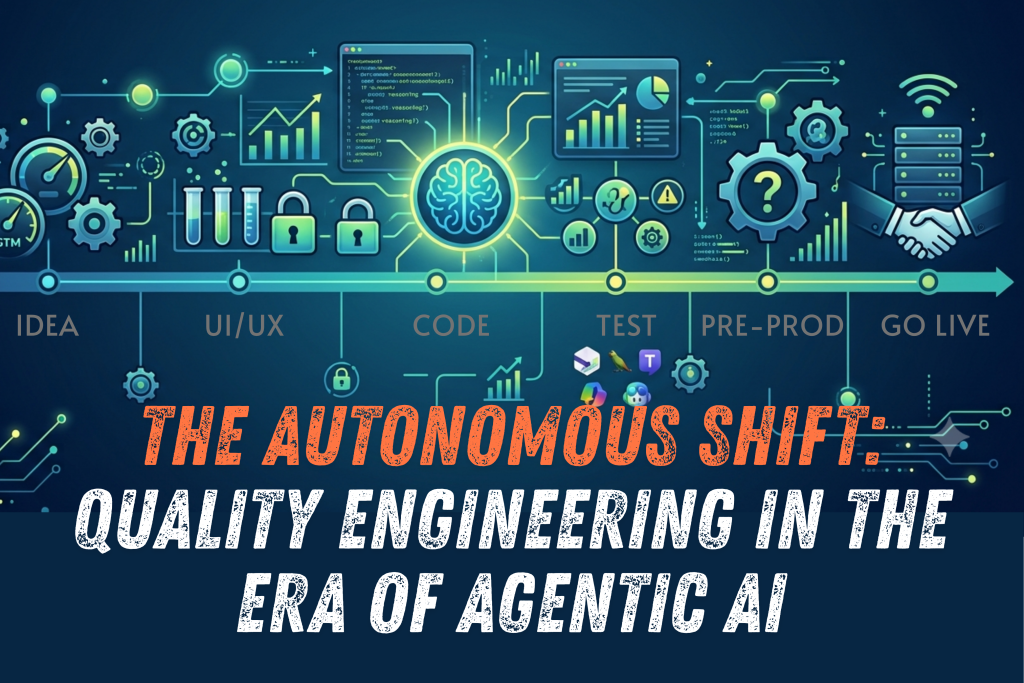
Introduction The speed of modern software delivery demands a level of precision and velocity that human teams alone can no longer sustain. For years, the industry’s solution was QAOps-the strategic initiative to integrate Quality Assurance directly into DevOps pipelines. QAOps successfully broke down silos, turning quality from a release-blocking gate into a continuous, shared responsibility.   But in an era where software evolves daily and Generative AI sets the pace of innovation, simply integrating quality is no longer enough. QAOps was the bridge; the destination is Autonomous Quality Engineering (AQE). This evolution is the critical leap from mere automation to self-governing intelligence, where the quality system itself is designed to predict, prevent, and self-heal defects with minimal human intervention.   We are moving from driving a manual car to programming the flight path of an autonomous jet.   The QAOps Imperative: Building the Foundational Bridge The necessity of QAOps emerged from the catastrophic failures of the traditional waterfall model, where testing happened as a distinct, final phase. When organizations began deploying code multiple times a day, this model became an existential threat. The High Cost of the Gap   Without integrated quality practices, organizations faced an untenable situation: constant deployment delays caused by last-minute testing bottlenecks, undetected bugs escaping into production, and siloed teams working with misaligned objectives. The stakes involved are enormous. The infamous 2012 Knight Capital Group incident, where faulty trading software was deployed without adequate testing and caused a $440 million loss in 45 minutes, remains a stark, foundational lesson in the true financial cost of poor-quality integration. QAOps addressed this by enforcing a core principle: Shift-Left. Quality activities must move as early as possible in the development process, identifying defects when fixing them costs up to 10 times less than when discovered in a production environment. The Foundation of a New Culture   Achieving QAOps maturity requires more than just buying new tools; it demands a cultural transformation, which is often the hardest part. The traditional organizational structure, where QA teams operated independently, created a “throw code over the wall” mentality. QAOps requires that quality becomes a shared responsibility. Developers must take ownership of writing unit tests, contributing to integration scenarios, and fixing issues found in the pipeline. QA professionals must evolve from manual testers to Test Architects and Quality Advocates who enable the entire team. This transformation requires dedicated leadership sponsorship and investment in cross-training to overcome resistance and technical debt (refactoring legacy systems to even be testable). The Technical Backbone For a system to be ready for AQE, it must first master the tools of QAOps: Continuous Testing Platforms (like Jenkins or GitLab CI/CD) are essential for orchestration, automatically managing when tests run based on code changes. Test Automation Frameworks (like Selenium and Appium) provide the scripts. Service Virtualization and Test Data Management are crucial for simulating dependencies and ensuring clean, compliant data in complex, distributed testing environments. The Future Leap: Autonomous Quality Engineering (AQE) If QAOps was about making the quality loop faster and tighter, AQE is about making it smarter and self-sufficient. It shifts the focus from managing complexity to leveraging artificial intelligence to solve it. Generative Test Creation: The End of Manual Scripting The single biggest drain on automation budgets is test maintenance. Every small UI change can break hundreds of brittle scripts. In the AQE world, Generative AI tackles this problem head-on. The QE will stop manually coding exhaustive test steps. Instead, AI will analyse user stories, functional requirements (often in natural language), and existing code to autonomously create a comprehensive, multi-layered test suite. The QE’s time is elevated from coding tests to validating the AI’s generated test system, focusing on high-risk, exploratory scenarios that require human ingenuity. Self-Healing Frameworks: Resilience for the Pipeline Flaky tests-those that fail seemingly at random due to minor locator changes or timing issues-destroy team confidence in automation. Self-Healing Frameworks (like those leveraging AI/ML from vendors such as Testim, Mabl, or even custom solutions) solve this by giving tests resilience. When a test encounters a break (e.g., a button ID is changed from btn-submit to btn-send), the AI doesn’t immediately fail. It analyses the historical DOM structure, visual context, and semantic meaning to identify the element using an alternative locator (like the text label or relative position). It then dynamically adapts the script to the new locator, logs the change, and allows the test execution to continue, preventing unnecessary human intervention and saving days of maintenance effort every month. Proactive Defect Prediction: The Risk Score The most profound shift is from detection to prediction. AQE leverages Machine Learning to analyse colossal amounts of organizational data to prevent bugs before they are even written. The system feeds on: Code Commit History: Analysing which developers and which modules introduce the most defects. Code Complexity Scores: Identifying areas of high-risk code that are difficult to test. JIRA/Defect Data: Learning the patterns of past failures. Based on this, the system assigns a Deployment Risk Score to every new code commit. High-risk changes are automatically routed for more stringent security scanning, performance analysis, or mandatory human review, effectively stopping predictable failures before they enter the main deployment branch. The Expanded Mandate: SecQAOps and Value-Driven Quality The future QE team doesn’t just focus on the software’s core function; they become guardians of its security, resilience, and economic impact. SecQAOps: Quality Equals Resilience In the cloud-native, microservice world, the application is only as strong as its weakest dependency. SecQAOps integrates advanced security and resilience validation directly into the QE role. Beyond traditional security scanning (SAST/DAST), this requires adopting Chaos Engineering. Borrowed from the Site Reliability Engineering (SRE) world, Chaos Engineering involves proactively injecting controlled failures-like network latency spikes, service outages, or resource exhaustion-into pre-production environments. The goal is not to fix a bug, but to validate the system’s resilience and ensure it can gracefully degrade and recover without catastrophic user impact. This approach makes “quality” synonymous with “unbreakable.” Shift-Right and Production Observability QAOps focused on “Shift-Left” (testing earlier). The future mandate includes

ollama img

 The Local AI Revolution: Ollama and Open-Source Intelligence Testing

Introduction: The Dawn of Personal AI In a world where artificial intelligence was once the exclusive domain of tech giants with massive data centers and billion-dollar budgets, a quiet revolution is taking place. Ollama and open-source AI models are bringing the power of artificial intelligence directly to your laptop, your desktop, your local machine— no cloud required, no data sent to distant servers, no monthly subscriptions.   This isn’t just about convenience or cost savings. It’s about fundamentally changing who controls AI and how we interact with it. For the first time in the history of computing, individuals can run sophisticated AI models that rival those of major corporations, all from their own hardware. But with this democratization comes a new challenge: how do we ensure these local AI systems are reliable, secure, and perform as expected?   Behind every successful AI deployment—whether it’s ChatGPT in the cloud or Llama running on your machine—lies a complex web of testing methodologies. The difference is that now, instead of trusting a corporation’s testing processes, we need to understand and implement our own. This article explores how the world has changed with local AI, what Ollama brings to the table, and most importantly, how to test these systems to ensure they meet your needs.   The World Before Local AI: Centralized Intelligence  The Old Paradigm: AI as a Service Before Ollama and similar tools, artificial intelligence was primarily delivered through centralized services.If you wanted to use AI, you had to:  Send your data to the cloud: Every query, every document, every conversation was transmitted to remote servers.  Pay subscription fees: Monthly costs for access to AI capabilities Accept rate limits: Restrictions on how much you could use Trust corporate policies: No control over how your data was used or stored Depend on internet connectivity: No offline capabilities Accept one-size-fits-all models: Limited customization options The Problems with Centralized AI  Privacy Concerns: Your sensitive data, business information, and personal conversations were processed on servers you didn’t control. Companies like OpenAI, Google, and Microsoft had access to everything you shared with their AI systems. Blockchain’s ledger is public, giving everyone the same clear view. Cost Barriers: Small businesses and individuals often couldn’t afford enterprise-level AI access. A startup wanting to integrate AI into their product faced significant ongoing costs. Latency Issues: Every AI request required a round trip to the cloud, introducing delays that could impact user experience. Vendor Lock-in: Switching between AI providers meant rewriting integrations and adapting to new APIs. Censorship and Bias: Centralized AI systems came with built-in limitations, content filters, and biases that users couldn’t modify. Data Sovereignty: Organizations in regulated industries couldn’t use cloud AI due to compliance requirements about data leaving their infrastructure The Ollama Revolution: AI Goes Local   What is Ollama? Ollama is an open-source tool that makes running large language models locally as simple as running a web server. Think of it as Docker for AI models—it handles the complex setup, model management, and optimization so you can focus on using AI rather than wrestling with technical configurations. With Ollama, you can Run models like Llama 2, Mistral, CodeLlama, and dozens of others Switch between models instantly Customize model parameters Create your own model variations Run everything offline Keep your data completely private How Ollama Works Ollama simplifies the complex process of running AI models by:  Model Management: Automatically downloading, installing, and updating AI models Optimization: Configuring models for your specific hardware (CPU, GPU, memory) API Layer: Providing a simple REST API that works with existing tools Resource Management: Handling memory allocation and multi-model switching Format Conversion: Converting models to efficient formats for local execution The Technical Architecture   The New World: Democratized AI How Local AI Changes Everything Complete Privacy: Your data never leaves your machine. Corporate secrets, personal information, and sensitive documents stay under your control. Zero Ongoing Costs: After the initial hardware investment, running AI models costs nothing. No subscription fees, no per-token charges. Unlimited Usage: No rate limits, no quotas. Run as many queries as your hardware can handle Customization Freedom: Modify models, adjust parameters, and create specialized versions for your specific needs Offline Capability: AI works without internet connectivity. Perfect for air-gapped environments or areas with poor connectivity. Rapid Iteration: Test ideas, prototype applications, and develop AI-powered features without external dependencies. Real-World Impact Small Businesses: A local restaurant can now analyze customer reviews and generate marketing contentwithout sending data to tech giants. Healthcare: Doctors can use AI to analyze patient data while maintaining HIPAA compliance Education: Students can access AI tutoring and research assistance without subscription costs. Developers: Programmers can integrate AI features into applications without ongoing API costs. Researchers: Scientists can experiment with AI models and techniques without budget constraints. Testing Ollama and Local AI: The Complete Guide Testing local AI systems requires a different approach than testing traditional software. AI models are probabilistic, not deterministic—they can produce different outputs for the same input. This makes testing both more challenging and more critical.  1. Installation and Setup Testing Test Case 1.1: Installation Verification Objective: Ensure Ollama installs correctly across different operating systems. Steps:  Download Ollama for your OS (Windows, macOS, Linux) Run the installation process Verify the ollama command is available in terminal Check system requirements are met Expected Result: Clean installation with no errors, command-line tool accessible Test Script: Test Case 1.2: Model Download Testing Objective: Verify models download and install correctly. Steps:  Run ollama pull llama2 (or another model) Monitor download progress Verify model appears in ollama list Check disk space usage Expected Result: Model downloads completely, is listed, and consumes expected disk space. Test Case 1.3: Hardware Compatibility Testing Objective: Ensure Ollama works with available hardware. Steps: Test with CPU-only configuration Test with GPU acceleration (if available) Monitor resource usage during model loading Verify memory requirements are met Expected Result: Models load and run within hardware constraints 2. Functional Testing Test Case 2.1: Basic Model Interaction Objective: Verify models respond to basic prompts Steps: Start Ollama service: ollama

The invisible guardian

The Invisible Guardian: Blockchain’s Trust Revolution 

Introduction: In a world where it’s hard to trust—because of dishonest organizations, tricky algorithms, or fake news—blockchain is like a breath of fresh air. It’s not just new technology; it’s a way to change things for the better. Instead of asking you to just believe, blockchain shows you it’s trustworthy. Every piece of data, every deal, every bit of code creates a kind of truth that’s open to everyone, safe, and fair.  Behind all the talk about cryptocurrencies or online agreements, there’s a powerful system at work. It uses math, teamwork, and constant checks to make sure everything is secure. The real stars of blockchain aren’t in fancy offices—they’re the logic, calculations, and tests that keep the system strong and reliable.  Why Blockchain Matters: Trust Without Middlemen  Trust is something we all want, but it’s not always easy to find. For a long time, we’ve relied on middlemen—like banks, lawyers, or governments—to make sure things are fair when we make deals or share information. These middlemen act like referees, but they’re not perfect. Sometimes they make mistakes, charge high fees, slow things down, or even act dishonestly.  Blockchain changes all that. It’s like a new rulebook for trust, built right into technology. Instead of needing a middleman to say, “This is okay,” blockchain lets everyone see and agree on what’s happening. It’s like a shared notebook that nobody can erase or secretly change. Every time someone adds something—like a payment or a contract—it’s locked in, checked by many people, and kept safe with super-smart math.  This means you don’t have to just hope someone is being honest. Blockchain proves it. It’s fast, open, and doesn’t let anyone cheat the system. Whether it’s sending money, signing a deal, or keeping records, blockchain makes trust simple and direct—no middlemen needed.  Here’s why it’s a big deal: Transparency: Truth Everyone Shares  Picture a giant, open notebook where every deal is written for all to see—no backroom deals, no hidden fees. Blockchain’s ledger is public, giving everyone the same clear view.  Real-World Example: Everledger tracks diamonds on a blockchain, logging every step from mine to store. Buyers scan a code to see their diamond’s journey, ensuring it’s not tied to conflict. No one can fake the record when everyone shares the same truth.  Immutability: Locked in Time  Once data hits the blockchain, it’s like carving it into a mountain. Changing it means rewriting every copy of the ledger on thousands of computers—a near-impossible task. This makes blockchain a fortress for facts.  Real-World Example: In 2017, a hacker stole $50 million in Ethereum due to a flawed contract. The community forked the chain to reverse the theft, but the original chain (Ethereum Classic) still exists, untouchable. Even a massive hack couldn’t erase its history.  Decentralization: No Single Ruler  Blockchain has no central boss. It’s run by thousands of computers (nodes) worldwide, keeping each other honest. If one node fails or tries to cheat, the others keep the system running.  Real-World Example: Bitcoin has thrived since 2009 with no central authority. In places like Venezuela, where banks froze accounts during crises, people used Bitcoin to save and send money. No government could stop it because it’s spread everywhere.  How Blockchain Works: The Engine of Truth  What is Blockchain?  Imagine a notebook that everyone can see, but no one can erase or secretly change. That’s what a blockchain is—a shared, super-secure way to keep track of information, like money transfers, contracts, or records. It’s a special kind of database, but instead of being stored on one computer or controlled by one company, it’s spread across many computers (called nodes) all over the world. Everyone has a copy, and they all stay in sync. When you send cryptocurrency, sign a digital contract, or add any kind of data, it gets recorded as a “block.” Each block is like a page in that notebook, holding a list of transactions or information. These blocks are linked together in a chain (hence “blockchain”), locked with clever math to make sure they’re safe and can’t be tampered with. How is Blockchain Different From Other Databases?   Most databases, like the ones used by banks or websites, are controlled by a single organization. They decide who can see or change the data, and everything is stored in one central place. If that place gets hacked, slowed down, or makes a mistake, things can go wrong. You have to trust the people running it to do the right thing.  Blockchain is different in a few big ways:  1. No Boss: Blockchain doesn’t have a single owner or central control. It’s run by a network of computers that work together. Everyone in the network agrees on what’s true, so no one can cheat or change the data on their own.  2. Super Secure: Every block is locked with something called cryptography—a kind of math that’s almost impossible to crack. Once a block is added, it’s linked to the one before it, so changing anything would mean rewriting the whole chain, which is super hard and noticeable.  3. Everyone Sees It: Unlike a private database, blockchain is transparent. Anyone can look at the data (though personal details are usually hidden or coded). This openness builds trust because there’s no hiding.  4. No Going Back: Once information is added to a blockchain, it’s permanent. You can’t delete or edit it without everyone in the network agreeing. This makes it great for things like money transfers or contracts, where you need a clear, unchangeable record.  How It Works Behind the Scenes gemini.ai When you do something on a blockchain, like sending crypto, here’s what happens:  1. You Make a Move: You send some cryptocurrency or sign a contract. This creates a new transaction.  2. It’s Checked: Computers in the network (nodes) check if the transaction is valid—like making sure you have enough money to send.  3. It’s Grouped: Valid transactions are bundled into a block, like putting a bunch of notes on a single page.  4. It’s Locked:

The QE CoE Revolution: A Blueprint for Success 

Introduction: The landscape of software development has undergone a dramatic transformation, particularly since the widespread adoption of DevOps practices post-2016 and the accelerated digital shifts during and after the COVID-19 pandemic. In this era of rapid technological advancement, exemplified by the rise of GenAI and low-code/no-code platforms, the traditional Testing Center of Excellence (TCoE) is no longer sufficient. Organizations are now challenged to evolve towards a dynamic Quality Engineering Center of Excellence (QCoE) that integrates quality throughout the Software Development Life Cycle (SDLC).   This article will explore the critical elements involved in this transition, highlighting the key areas influencing the Quality Engineering space and providing a comparative analysis between TCoEs and modern QCoEs, ultimately guiding organizations towards establishing or transforming their quality assurance practices for future success.  You might be curious to know some of those key areas that have been influencing the Quality Engineering (QE) space in current times:  1. Advancement of GenAI  Instant Test Case Generation: AI can generate test cases based on requirements and code coverage, improving efficiency and reducing human errors.  Predictive Analytics: ML algorithms can analyze historical process data to predict potential risks and prioritize testing efforts.  Intelligent Test Automation: AI-powered test automation frameworks can adapt to dynamically changing environments and handle complex scenarios for better reliability.  2. Integration of advanced automation tools with DevOps eco-system and CI/CD  Shift-Left Testing: Testing is initiated and integrated earlier in the SDLC to detect defects sooner.  Continuous Testing: Automated testing is smoothly integrated into the CI/CD pipeline to ensure quality for each build/deployment/release.  Test Automation: Automation tools are used to execute tests as often as needed and efficiently. 3. Cloud-based Testing  Testing in the Cloud: Cloud platforms provide scalable and flexible environments for testing various applications.  Performance Testing: Cloud-based tools can simulate high loads and measure application performance.  Security Testing: Cloud environments require specific security measures to protect sensitive data. You might be interested in learning more about Security Testing as discussed in an interesting article here in TAF website: https://testautomationforum.com/security-testing-a-shield-against-modern-cyber-threats/  4. Test Data Management  Synthetic Data Generation: Creating realistic test data to simulate real-world scenarios.  Data Masking: Protecting sensitive data while maintaining test data quality.  Test Data Management Tools: Using specialized tools to manage and govern test data. Read more about Test data management using AI-powered synthetic data generators here: https://testautomationforum.com/test-data-management-using-ai-powered-synthetic-data-generators/  5. Mobile and IoT Testing  Device Fragmentation: Testing on a wide range of devices and operating systems is essential using cloud-based solutions to configure and test against variety of configurations.  Performance Optimization: Ensuring optimal performance on mobile and IoT devices.  Security Testing: Protecting against vulnerabilities in mobile and IoT applications.  6. Emerging Technologies  Blockchain Testing: Verifying the integrity and security of blockchain-based applications.  Quantum Computing Testing: Evaluating the impact of quantum computing on software testing.  Low-Code and No-Code Testing: Testing commercial products and enterprise applications using these advanced automation platforms.  These trends are shaping the future of Quality Engineering, emphasizing automation, integration, and the ability to adapt to rapidly changing technologies. Quality Engineers need to stay updated with these developments to ensure their organizations remain competitive and deliver high-quality software.  Testing CoE vs. Quality Engineering CoE (QCoE): A comparative analysis  If you were a part of Testing CoE as part of your career path, you might be knowing the manual gathering of metrics and creation of KPI data was often a laborious and frustrating process.  However, QCoEs are now equipped with advanced analytics platforms and integrated testing tools, making these tasks far more efficient. Let’s discuss little more about the differences between traditional TCoEs and modern QCoEs?  Quality Assurance “assures” quality of product where Quality Engineering “drives” the development of quality product and process. While both Testing Center of Excellence (TCoE) and Quality Engineering Center of Excellence (QCoE) aim to improve software quality, they have distinct focuses and scopes.  The below table explains their respective primary Focus, Objective, Scope and other differences between TCoE and QCoE:   Comparison between Testing CoE with QE CoE Features  Testing CoE  Quality Engineering CoE  Primary focus  Testing activities (Manual & automation)  Quality throughout the SDLC  Scope  Testing phase  Entire SDLC  Main objective  Ensure quality standards  Prevent defects at the earliest in SDLC  Approach  Reactive to Proactive  Fully Proactive (Shift-Left)  Automation coverage  Good  Much higher  Cost of testing  Moderate  Much reduced cost due to higher level of integration, automation and early detection of defects  Ease of scalability  Good  Much flexible  Efficiency & productivity  High  Much higher  Reliability & Quality of Products/Apps delivered  Good  Superior  Collaboration between teams  Good  Very effective  “Go-to-Market” time  Good  Much faster  Cost savings  Good  High  Customer satisfaction  Good  Superior  “Shift-Left” adaptability  Not always  Consistent  Continuous improvement of processes  Moderate  High  Ability to support large and complex commercial products and Apps  Not always  With ease  Gen-AI adaptability   Limited  Very high  Resource allocation/Reusability  Good  Very high  DevOps/Continuous Testing abilities  Good  Superior  Measurement of success/Testing metrics  KPI Based (Limited to Technology and Process)  More granular metrics through advanced AI/analytics-based dashboards. (Across Technology, Process and Business)  Support for futuristics Tools/Platforms like Low-code, No-code tools  Good  Superior  Desired ROI to QA Organization  Good  Much quicker ROI  Metrics for Top Management  Good  Reliable Data for CXOs  Support for Emerging Technologies  Moderate  Superior  Recommended steps for setting up a brand-new QCoE or transforming your TCoE into a modern QCoE    In today’s rapidly evolving technological landscape, organizations are increasingly recognizing the critical role of quality engineering (QE) in ensuring the success of their software products. A well-established Quality Engineering Center of Excellence (QCoE) is essential to drive innovation, improve customer satisfaction, and achieve competitive advantage.   Setting up a brand-new Quality Center of Excellence (QCoE) or transforming a traditional Testing Center of Excellence (TCoE) into a modern QCoE is a strategic move to elevate quality assurance (QA) into a proactive, value-driven engine.  Keep in mind that establishing a robust Quality Engineering Center of Excellence (QCoE) begins with a foundational budget (as in any IT initiative). This initial step dictates the scope, scale, and sustainability of the QCoE’s operations. A well-defined budget allows for strategic resource

image

VAPT to Safeguard your Healthcare Apps

Introduction : In an era where cyber threats are increasingly sophisticated, ensuring the security of healthcare applications is paramount. This article outlines the process of conducting a vulnerability assessment and gray-box penetration testing on a healthcare application using Burp Suite Professional, OWASP ZAP, and manual testing techniques. The primary objective was to identify potential vulnerabilities that could be exploited by attackers and provide recommendations for mitigating these risks.  Purpose of testing : The purpose of this security testing was to identify vulnerabilities in the healthcare application and ensure its robustness against cyber threats. By uncovering weaknesses, we aim to enhance the application’s security posture, protect sensitive health data, and ensure compliance with industry standards (OWASP Top10 issues).  Scope of testing : The scope encompassed both automated and manual testing techniques. The testing focused on identifying critical vulnerabilities, including OWASP Top 10 issues, SQL injection, Cross-Site Scripting (XSS), and other common security flaws. The testing was divided into two main phases:  Vulnerability assessment  Penetration Testing  Tools and techniques : Vulnerability assessment:- Automated scanning tools, such as Burp Suite Professional and OWASP ZAP, were employed to systematically identify common security vulnerabilities. These tools were chosen for their robust capabilities in detecting a wide range of security issues efficiently. The automated phase involved:  Burp Suite professional: Used for its extensive functionality in identifying and exploiting vulnerabilities, Burp Suite provided comprehensive coverage of the OWASP Top 10 issues.  OWASP ZAP: Utilized for its user-friendly interface and effective automated scanning capabilities, OWASP ZAP was instrumental in the initial identification of vulnerabilities.  The automated scans targeted various components of the healthcare application to uncover vulnerabilities such as:  SQL Injection   Cross-Site Scripting (XSS)   OWASP Top 10 issues   Other critical vulnerabilities  These automated scans provided a comprehensive overview of the existing security weaknesses within the healthcare application, setting the stage for the subsequent penetration testing phase.  Penetration testing :- The manual testing phase involved a more detailed and nuanced examination of the system. This included:  Thorough manual assessment: We began with a meticulous manual review of the application to identify potential vulnerabilities. This involved examining the architecture and functionality to pinpoint key fields and components susceptible to attacks.  Exploitation of vulnerabilities: Based on the findings from the manual assessment and automated scans, we attempted to exploit identified vulnerabilities to understand their potential impact.  Identification of additional vulnerabilities: Manual testing also focused on discovering vulnerabilities that automated tools might have missed, ensuring a comprehensive assessment.  Findings and Analysis: The combination of automated and manual testing techniques provided a full view of the healthcare application’s security posture. Key findings included:  High severity issues: The assessment revealed that cloud metadata was potentially exposed, posing a significant risk to the confidentiality and integrity of sensitive data stored in the cloud environment.  Medium severity issues:  CSP (Content Security Policy) wildcard directive: The presence of wildcard directives in the Content Security Policy could weaken security controls and increase the risk of cross-site scripting (XSS) attacks.  Hidden file found: Discovery of hidden files within the application’s directory structure could indicate potential security risks or unauthorized access.  TLS certificate issues: Weaknesses in the Transport Layer Security (TLS) certificate configuration could expose sensitive data to interception or unauthorized access.  Strict transport security not enforced: Failure to enforce Strict Transport Security (HSTS) could leave the application vulnerable to protocol downgrade attacks and unauthorized access.  Low severity issues: The assessment also identified areas for improvement in data protection measures, although these were classified as low severity Recommendations : Based on the findings, we provided the following recommendations to mitigate identified risks:  High severity issues:  Cloud metadata exposure: Implement stringent access controls and encryption for cloud metadata to prevent unauthorized access. Regularly review and update cloud security configurations to ensure compliance with best practices.  Medium severity issues:  CSP Wildcard directive: Remove wildcard directives from the Content Security Policy. Define specific sources for content to minimize the risk of XSS attacks.  Hidden file found: Conduct a thorough audit of the application’s directory structure to identify and secure hidden files. Implement access controls to restrict unauthorized access.  TLS certificate issues: Review and strengthen the TLS certificate configuration. Ensure the use of strong, up-to-date certificates and enforce proper TLS protocols to protect data in transit.  Strict transport security not enforced: Enable and enforce HTTP Strict Transport Security (HSTS) to prevent protocol downgrade attacks and ensure secure communication.  Low severity issues:  Data protection improvements: Enhance data protection measures, including data encryption and secure storage practices. Regularly review and update security policies to align with industry standards. Conclusion : The vulnerability assessment and penetration testing of the healthcare application highlighted critical security issues and provided valuable insights into the application’s security. By addressing the identified vulnerabilities and implementing the recommended security measures, the healthcare application can significantly enhance its defence against potential cyber threats, ensuring the safety and integrity of sensitive health data.  5+

the future of Test Automation

Embracing the Future: The Evolution of Test Automation Test automation continues to be a cornerstone of quality assurance processes in the dynamic landscape of software development. As technology advances and methodologies evolve, the future of test automation promises exciting developments that will redefine how we ensure the reliability and efficiency of software systems. 1. AI in Software Test Automation : In the realm of software test automation, the integration of artificial intelligence is rapidly advancing, promising streamlined processes and enhanced efficiency. Tools like Testsigma, Katalon, Perfecto, Rainforest QA, Leapwork, Usetrace, TestCraft, Eggplant, Ranorex, Tosca, Accelq, TestIM Automate, Qualitia, TestMagic, TestArchitect, UFT One, Worksoft Certify, Worksoft Certify and Nineteen68 Studio equipped with AI cores, facilitate the effortless creation and maintenance of automated test cases. Testsigma stands out as a comprehensive solution, boasting features such as NLP-based test case creation, seamless integration with CI/CD tools, robust reporting capabilities, and cloud-based test hosting with access to diverse devices for thorough application testing. In essence, the future of test automation appears promising, with AI-driven innovations like Testsigma leading the way toward higher quality and faster time-to-market. 2. Generative AI: Self Generating Testcases & Auto Healing of Testcases Generative AI is set to transform test automation by automatically creating and maintaining test scripts with high accuracy and efficiency. It uses advanced machine learning to analyze application behavior, predict edge cases, and generate comprehensive test cases, reducing the need for manual intervention. This ensures robust, up-to-date test automation, leading to higher-quality software and faster delivery times. 3. Containerization and Microservices: Leverage containers and microservices for advanced test automation! Enjoy flexibility, scalability, and consistency with containerized testing. Kubernetes streamlines resource management, ensuring seamless testing across environments. Transform your testing and boost software quality with these innovative tools! 4. API and Service-Level Testing: API and service-level testing are crucial as applications rely more on external services. Automated frameworks are prioritizing API testing to validate functionality, performance, and security. Automating these tests helps catch defects early, ensure component interoperability, and maintain strong third-party integrations. 5. DevOps and Continuous Testing: DevOps and continuous testing are changing how software is made, tested, and released. Automated testing helps integrate, get feedback fast, and deploy continuously. By automating key tests, teams ensure quality and speed up innovation. 6. Interactive Visuals: Utilize visually appealing graphics and interactive elements to showcase the core principles and benefits of test automation, including increased efficiency, cost savings, and faster product launches. Incorporate dynamic charts and animations to present compelling statistics that highlight the tangible improvements achieved through automation. This approach ensures an engaging and informative presentation that effectively communicates the value of test automation. 7. Emerging Technologies: Discover how AI, ML, blockchain, and IoT are revolutionizing test automation, offering predictive analysis, intelligent test generation, secure data management, and IoT device testing. Organizations leverage these technologies to tackle scalability, security, and rapid delivery cycles in software development, unveiling the transformative power of emerging tech in enhancing efficiency and effectiveness in testing processes. 8. Cloud-based Testing: Cloud-based testing, part of cloud technology, is revolutionizing testing environment management. It offers scalability and cost-effectiveness, allowing testing teams to access diverse platforms and configurations. 9. AI Driven Testing:  AI-driven testing revolutionizes the testing landscape by employing intelligent algorithms to generate test cases, predict defects, and automate test execution. This approach significantly enhances test coverage and accuracy while simultaneously reducing the need for manual effort. The future of test automation is expected to be driven by several key trends: AI-powered Testing: Artificial intelligence (AI) is poised to play a significant role in test automation. AI-powered tools can automate tasks like test case creation, test data generation, and even self-healing tests that can adapt to changes in the software. This will free up testers to focus on more strategic tasks. Low-Code/No-Code Automation:  There will likely be a rise in low-code and no-code automation tools. These tools allow testers and developers to create automated tests without writing extensive code. This will make automation more accessible and efficient. Focus on User Experience (UX):  Testing will move beyond functionality to encompass the entire user experience.  Tools that can automate usability testing and identify UX issues are likely to become more prevalent. Increased Significance Across Industries: As software becomes more complex and integrated across industries,  automation testing will become even more crucial for ensuring quality and reliability. This is especially true for sectors like finance, healthcare, and automotive where even minor glitches can have serious consequences. Shifting Role of Testers:  The role of testers is likely to evolve as automation takes over more routine tasks. Testers will need to develop expertise in areas like AI, UX testing, and designing robust test automation frameworks. Advantages : Efficiency Boost: Automation frees up time for teams to tackle more complex tasks, speeding up testing and product release. Accuracy: Automated tests run consistently, reducing errors and ensuring thorough testing, leading to higher software quality. Cost Efficiency: While setting up automation requires initial investment, it slashes manual testing costs in the long run. Comprehensive Testing: Automation covers diverse test cases, platforms, and environments, catching bugs early and ensuring compatibility. Swift Feedback: Automated tests provide rapid feedback, facilitating continuous integration and delivery, allowing for faster iterations and updates. Disadvantages: Setup Challenges: Implementing test automation involves technical complexities and the need for skilled resources, which can pose initial hurdles for organizations. Maintenance Demands: Automated tests require ongoing maintenance to stay relevant with evolving software, and neglecting this upkeep can lead to unreliable results and wasted investment Case Studies-1: Enhancing Test Automation with AI Tools Background: Challenges with manual and traditional automated testing. Aim to improve efficiency, accuracy, and adaptability of testing. Objectives: Improve Test Coverage: Ensure comprehensive testing across multiple platforms and devices. Increase Efficiency: Reduce the time required for test execution and maintenance. Enhance Accuracy: Minimize the risk of human error in the testing process. Adaptability: Ensure the testing process can quickly adapt to changes in the software Solution TechSolutions Inc. implemented an AI-driven test automation tool called TestAI, which leverages machine learning and

Why-Test-Automation-Fails-Strategies-for-Maximizing-

Why Test Automation Fails: Strategies for Maximizing ROI and Efficiency

Introduction: Test automation stands as a beacon of efficiency in the realm of software testing, promising to save both time and money. Yet, its true potential lies not just in its implementation but in the ability to yield a positive return on investment (ROI). In this article, we delve into the key strategies essential for ensuring that test automation delivers on its promises and provide tips for overcoming common hurdles along the way.   ROI refers to the value that organizations derive from their investment in automation tools, infrastructure, and processes compared to the costs incurred. Achieving a positive ROI is crucial for justifying the investment in test automation.   To calculate the ROI of test automation, organizations typically consider the following factors:   Time Savings: Automation can execute tests faster than manual testing, reducing the time required for regression testing and allowing for quicker feedback on code changes.   Cost Reduction: By automating repetitive test cases, organizations can reduce the need for manual testers, leading to cost savings over time.   Increased Test Coverage: Automation allows for the execution of a larger number of test cases, leading to improved test coverage and potentially reducing the risk of undetected bugs in production.    Improved Accuracy: Automated tests are less prone to human error, leading to more reliable test results and potentially reducing the cost of fixing defects later in the development cycle.   To ensure a positive ROI from test automation, organizations should carefully plan their automation efforts, prioritize test cases for automation based on their potential impact and ROI, and continuously monitor and optimize their automation processes to maximize efficiency and effectiveness.   Reasons for Test Automation Failure:    1. Poor test case design: If the test cases are not designed with automation in mind from the beginning, it can be very difficult or impossible to automate them effectively. 2. Significant Functionality change in the application:  There could be significant rework required to do the maintenance of the automation script when there is a sudden change in the application functionality. So, this rework might become a challenge for the testing team to deliver automation on time. 3. Flaky tests: Tests that are unstable or inconsistent, often due to issues like improper synchronization, can lead to frequent false positives or negatives.  4. Brittle locator strategies: Relying too heavily on locators that are likely to change (like dynamic IDs) can cause scripts to break when the application under test is updated.  5. Environmental issues: Differences in test environments, data states, browser versions, etc. can cause automation scripts to behave differently.  6. Lack of maintenance: As applications evolve, automation scripts need to be continuously maintained and updated to prevent script rot.  7. Poor error handling: Inadequate exception handling or lack of proper logging can make it difficult to diagnose and fix failures.  8. Overreliance on record/playback: Blindly recording and playing back scripts without understanding the underlying code can lead to inflexible and unmaintainable tests.  9. Inadequate test data management: Lack of proper test data setup, teardown, and management can cause tests to be non-deterministic.  10. Integration issues: Challenges in integrating automation tools with CI/CD pipelines, test management tools, etc. can impede automation efforts.  11. Resource constraints: Insufficient allocation of time, budget, skilled personnel, or hardware/infrastructure can severely limit test automation success.  Strategies for Maximizing Test Automation ROI:    Optimize test design for automation to ensure that test cases are suitable for automation.  Improve coding skills to avoid overreliance on record and playback.  Implement robust test data management practices to ensure tests are reliable.  Provide training and collaborate with testers to ensure they fully leverage automation.  Balance automation and manual testing to maximize efficiency and effectiveness.  Continuously maintain scripts to keep them aligned with application changes.  If automation scripts fail, there can be several serious consequences for the software development and testing process:  Delayed Releases/Deployments: If critical automation tests are failing, it may delay the release of new features or versions of the software as the failures need to be investigated and resolved first.  Reduced Test Coverage: Failed automation scripts mean those tests are not executing, reducing your overall test coverage. This increases the risk of defects slipping through to production.  Lack of Confidence in the Product: Continuous failures erode trust in the automation suite and its ability to validate the software quality, undermining one of the core benefits of automation. Increased Costs: Failed automation requires manual tester time for investigation, maintenance of scripts, re-execution of tests, as well as developer time for fixing integration issues. This increases costs.  Technical Debt Accumulation: If automation isn’t maintained properly, the scripts become harder and harder to fix over time, accumulating technical debt.  Slower Feedback Cycles: Since automation enables fast feedback on builds/changes, failures slow this down, impacting development velocity and efficiency.  Environmental Inconsistencies: Failures may be caused by environmental factors, masking real product defects or causing confusion about whether the failures are legitimate.  Waste of Automation Investment: If you cannot get automation to be reliable, the entire investment in tools and resources is wasted.  Loss of Credibility: Continuous automation failures cast doubt on the QA process and can erode trust between developers and testers.  Team Frustration: Nothing is more demoralizing than spending time and effort on automation only to have it be unreliable. This can frustrate teams. Advantages of Test Automation:    Faster test execution compared to manual approaches.  Consistent testing across multiple platforms.  Improved test coverage, especially for regression testing.  Greater cost efficiency over the long term.  Reliability in consistently repeating tests.  Conclusion:   While test automation cannot entirely replace manual testing, it can significantly optimize the testing process and reduce costs. By following the strategies outlined in this article and maintaining a balanced approach between automation and manual testing, organizations can maximize quality while minimizing costs in their software development lifecycle.   6+

image

Security Testing: A Shield Against Modern Cyber Threats

Introduction: Security testing is an important aspect of software testing focused on identifying and addressing security vulnerabilities in a software application. It aims to ensure that the software is secure from malicious attacks, unauthorized access, and data breaches. Security testing involves verifying the software’s compliance with security standards, evaluating the security features and mechanisms, and conducting penetration tests to identify weaknesses and vulnerabilities that might be exploited by malicious actors. The goal of security testing is to identify security risks and offer recommendations for remediation to improve the overall security of the software application. Testers simulate attacks to check existing security mechanisms and look for new vulnerabilities. Security testing has evolved significantly over the years: In the early days of computing, security was a lesser concern due to isolated systems. The 1980s saw the rise of hacking culture, emphasizing the need for security. The growth of the internet in the 1990s heightened security concerns. The 2000s brought malware and web application vulnerabilities to the forefront. High-profile data breaches in the 2010s underscored the importance of security testing. Today, with sophisticated threats, security testing relies on automation, AI, and machine learning. What are the main type of security testing? Vulnerability Scanning: Vulnerability scanning involves automated tools to identify security vulnerabilities in a software application or network. The aim of vulnerability scanning is to identify and report potential security threats and recommend remediation measures. It provides a security baseline and focuses on known risks Penetration testing: Penetration testing is a subset of ethical hacking that involves simulating real-world attacks to locate vulnerabilities in a software application. The goal of penetration testing is to identify potential security threats and how to remediate them. Penetration testing can be performed either manually or with automated tools and may include techniques such as social engineering, network scanning, and application-layer testing. Application security testing: Application security testing (AST) is the process of evaluating the security of a software application and identifying potential vulnerabilities. It involves a combination of automated and manual testing techniques, such as code analysis, penetration testing, and security scanning. The goal of application security tests is to detect and mitigate security risks to the software application. AST is important for identifying both external and internal threats. Web application security testing: Web application security testing is a specialized type of AST that focuses on identifying vulnerabilities in web-based applications. This type of testing typically involves a combination of manual and automated testing methods, such as SQL injection testing, cross-site scripting (XSS) testing, and authentication testing. API Testing: API security testing involves evaluating the security of an application’s APIs and the systems that they interact with. This type of testing typically involves sending various types of malicious requests to the APIs and analysing their responses to identify potential vulnerabilities. The goal of API security testing is to ensure that APIs are secure from attacks and that sensitive data is protected. This is important because APIs are vulnerable to specific threats, including denial-of-service (DoS) attacks, API injection, and man-in-the middle (MitM) attacks, where an attacker intercepts the API communications to steal sensitive information. Security auditing: Security auditing is the process of evaluating the security of a software application or network to identify potential vulnerabilities and to ensure that it is in compliance with security standards and best practices. This type of testing typically includes manual methods, such as code review, vulnerability scanning, and penetration tests. Risk Assessments: A risk assessment involves identifying potential security threats and assessing the possible impact of these threats on a software application or network. The goal of a risk assessment is to prioritize the security risks based on their predicted impact and to develop a plan to mitigate these risks. Security posture assessments: Security posture assessments involve evaluating an organization’s overall security posture, including its policies, procedures, technologies, and processes. Regular assessments can help to identify potential security risks and recommend ways of improving the overall security strategy and implementation of the organization. Common vulnerabilities Common security vulnerabilities are weaknesses or flaws in the design, implementation, or configuration of a system, application, or network that can be exploited by attackers to compromise the security of the system. These vulnerabilities can lead to data breaches, unauthorized access, data manipulation, and other security incidents. Here are some common security vulnerabilities  SQL Injection (SQLi)  Cross-Site Scripting (XSS)  Cross-Site Request Forgery (CSRF)  Insecure Authentication and Authorization  Broken Authentication and Session Management  Injection Attacks (e.g., Command Injection)  Server-Side Request Forgery (SSRF)  Insecure Direct Object References (IDOR) Tools used for security testing  Nessus  N Map  Zed Attack Proxy (ZAP)  Burp Suite  Qualys Guard  Sonar Qube  Check Mark  Metasploit…. Etc Challenges  False Positives: Security testing tools may generate false positives, indicating vulnerabilities that don’t exist, leading to wasted time and resources.  False Negatives: Conversely, false negatives occur when security tools miss actual vulnerabilities, leaving systems exposed.  Evolving Threat Landscape: The rapidly changing threat landscape means that security testing needs to keep pace with emerging attack techniques and vulnerabilities.  Resource-Intensive: Security testing can be resource-intensive, requiring specialized tools, skilled personnel, and time, which can be costly.  Complexity: As systems and applications become more complex, it can be challenging to comprehensively assess and test every component and interaction.  Integration Issues: Integrating security testing into the development process can be challenging, especially if it wasn’t considered from the beginning.  Limitations  Testing Scope: Security testing often focuses on specific aspects, leaving other potential vulnerabilities unexplored.  Human Error: Security testing, like any other human activity, is susceptible to human error, potentially overlooking vulnerabilities.  Security by Obscurity: Relying solely on security testing can lead to a false sense of security, as it doesn’t account for vulnerabilities that aren’t well-known.  Environmental Differences: Test environments may not perfectly mirror production environments, leading to discrepancies in results.  Compliance vs. Security: Focusing solely on compliance testing may not address all security concerns; it may only meet minimum requirements.  Vulnerability Disclosure: Security testing may uncover vulnerabilities that, if not disclosed responsibly, can be exploited by malicious actors. Best practices

img

Testing Applications running on Quantum Computers – An Overview

Introduction It’s like a thrilling competition where scientists, governments, and tech experts are racing towards a goal hidden in the mysteries of the quantum world. And what’s the ultimate treasure they’re chasing? It’s a practical quantum computer, a mind-blowing machine that has the potential to completely change our world in ways we can hardly imagine.  But you might wonder, what’s so special about quantum computers? Well, they’re not just your ordinary computer chips. They operate on the principles of quantum mechanics, which is like a whole new world, where bits are not merely ones and zeros, but both at the same time. This gives them unprecedented problem-solving powers, promising to tackle challenges that leave today’s computers scratching their heads.  We’re on the threshold of a whole new era, a quantum era, where these remarkable machines are inching closer to becoming a reality. And when they arrive, they’ll change everything, even how we go about testing software. This article is your ticket to this thrilling frontier, where we’ll explore how quantum computing is set to reshape the future of software testing.  Why does it matter? Well, imagine a world where powerful quantum computers are as common as the smart phones we use today. These quantum machines won’t just be some futuristic fantasy; they’re about to supercharge the way we test software. This means everything, from how we create test scenarios to how we produce detailed reports on software performance, is going to get a quantum boost. The impact is massive, and it’s going to change the game when it comes to making sure the software we depend on every day works flawlessly.  So, Hold onto your hats as we take a trip into a future where quantum computers aren’t just a “what if” – they’re becoming a very real part of how we test software.   The Quantum Computing Revolution   The Quantum Computing Revolution is like a leap into the future of computers. Imagine regular computers as super-fast librarians, flipping through pages one by one to find information. Quantum computers, on the other hand, are like magical speed readers who can peek at every page at once.  Regular computers use bits as their building blocks, which are like tiny switches, either on or off. Quantum computers use qubits, which are like little wizards that can be both on and off at the same time thanks to a weird property called “superposition.”  This superpower allows quantum computers to solve problems that regular computers find mind-bogglingly tough, like cracking super-secure codes or simulating complex molecules for drug discovery. It’s an exciting revolution that promises to unlock new possibilities and transform the way we tackle big challenges in science, technology, and beyond.  The Hurdles of Testing Quantum Computing   Testing quantum computing systems presents several unique challenges and hurdles due to the fundamental differences between quantum and classical computing. Here are some of the key hurdles in testing quantum computing:  Quantum Noise: Quantum bits, or qubits, are susceptible to noise and errors due to their extreme sensitivity to external factors. This includes thermal noise, electromagnetic radiation, and even cosmic rays. Testing quantum computers requires techniques to mitigate and correct these errors, such as error correction codes.  Quantum Entanglement: Quantum systems can be entangled, meaning the state of one qubit can be correlated with the state of another, even when separated by large distances. Testing and verifying entangled states can be challenging and may require specialized techniques.  Limited Qubit Count: Quantum computers available today have a limited number of qubits, making it challenging to test larger-scale quantum algorithms. This constraint hinders the testing of complex quantum algorithms and applications.  Calibration and Stability: Quantum computers require precise calibration to ensure the qubits behave as expected. Maintaining this calibration over time can be challenging, and fluctuations in environmental conditions can lead to drift, making ongoing testing and validation necessary.  Noisy Intermediate-Scale Quantum (NISQ) Devices: Most available quantum computers are NISQ devices, which have a limited number of qubits and are error-prone. Testing on such systems requires advanced error correction techniques and a deep understanding of the system’s limitations.  Lack of Standardized Tools: Unlike classical computing, there are no universally accepted standardized tools and methods for testing quantum computers. Researchers and engineers are still developing the necessary testing infrastructure.  Quantum Software Validation: Testing quantum algorithms and software for correctness can be complicated due to the probabilistic nature of quantum computing. It’s challenging to ensure that quantum algorithms produce the expected results with a high degree of confidence.  Scaling Challenges: As quantum computers scale up in terms of qubit count and complexity, the difficulty of testing and verifying their performance also increases exponentially. Scalability is a significant hurdle in quantum computing testing.  Resource Requirements: Quantum testing often requires significant resources, both in terms of hardware and expertise. Access to quantum computers and specialized testing facilities can be limited, making it challenging for researchers and companies to conduct comprehensive testing.  Security and Cryptographic Concerns: Quantum computing has the potential to break widely used encryption methods. Testing the security implications and developing quantum-resistant cryptographic solutions is a complex and ongoing challenge.  Regulatory and Ethical Issues: Testing quantum computing may involve ethical and regulatory concerns, especially when considering the potential impact of quantum computing on encryption, cryptography, and national security.  To overcome these hurdles, researchers, developers, and organizations are continually working on innovative techniques, software, and hardware solutions to improve the testing and validation of quantum computing systems. Collaboration among experts in quantum physics, computer science, and engineering is crucial to advancing the field of quantum computing and addressing these challenges.  Quality Assurance Redefined: Quantum Computing Applications   Quality assurance (QA) in the context of quantum computing applications represents a unique and evolving field that challenges traditional QA methodologies. Quantum computing, with its potential to revolutionize various industries and solve complex problems, requires a redefined approach to quality assurance. Here’s an exploration of how QA is being redefined in the realm of quantum computing applications:  Quantum-Specific Error Mitigation: QA in quantum computing focuses heavily

Unleash Quality and Performance: Empowering Mobile App Testing with Appium

Introduction: Our relationship with technology has changed as a result of the growth of mobile applications. Mobile apps have become an essential part of our daily lives, facilitating everything from communication and entertainment to productivity and e-commerce. As the popularity of mobile apps continues to soar, ensuring their quality and performance has become paramount. The importance of guaranteeing mobile apps’ performance and quality has risen as their popularity continues to climb. Delivering smooth user experiences and keeping a competitive edge in the mobile market require reliable testing approaches. In this situation, the open-source technology Appium has revolutionized mobile app testing across several platforms. The Need for Robust Mobile App Testing  The rapid growth of the mobile app market has led to a significant increase in user expectations. Users expect apps to be responsive, user-friendly, and bug-free on a variety of platforms. Failing to meet these expectations can result in negative reviews, customer churn, and brand damage. Robust mobile app testing is essential to: 1. Ensure app functionality across different devices, screen sizes, and resolutions. 2. Validate app performance under varying network conditions. 3. Detect and fix bugs, crashes, and compatibility issues. 4. The app’s overall quality and user experience. 5. Protect customer happiness and brand reputation. Introducing Appium as an Open-Source Mobile Testing Tool  Appium has emerged as a leading open-source automation framework for mobile app testing. It allows for smooth testing on several platforms, such as Windows, iOS, and Android.  Here’s how Appium plays a crucial role in mobile app testing:  Cross-Platform Compatibility: With Appium, testers can create a single set of test scripts that can be run on various platforms, cutting down on development time and maintaining consistency.  Language and Framework Flexibility: It supports multiple programming languages like Java, Python & Ruby and allows the tester to use their preferred frameworks.  Native and Hybrid App Testing: Appium supports both the native and hybrid mobile application providing all-inclusive coverage.  Device and OS Compatibility: Appium integrates with various cloud-based testing platforms and supports a wide range of devices and operating systems, enabling thorough testing across diverse configurations.  Seamless Integration: Appium integrates with the most popular framework Selenium WebDriver, making it easier to leverage existing automation infrastructure. Interface of Appium  Appium: It is an open-source test automation framework for mobile web, and hybrid applications on iOS mobile, Android mobile, and windows desktop platforms. Appium is designed on a server, and the user gains access to its automation framework through a businessperson.  Appium Website-https://appium.io/  A Case Study on Enhancing Quality and Efficiency with Appium  Our client created a food delivery service that lets users purchase food from different eateries in their area. Users have given the app positive feedback, but before making it available in more places, our company proposed a comprehensive mobile testing strategy that includes manual and automated testing on various devices and platforms to make sure it is running smoothly.  To read the full case study and learn more about our experience with mobile testing using Appium, please visit    https://mohs10.io/wp-content/uploads/2023/04/Mobile-testing-Application.pdf  By exploring the case study, you can gain a deeper understanding of the practical application of Appium in mobile testing and discover how it can empower your organization to overcome testing challenges and deliver high-quality mobile applications.  Benefits of Appium in Mobile App Testing  Improved Test Coverage: Appium allows for comprehensive testing across multiple platforms, device types, and OS versions, ensuring maximum test coverage.  Cross-Platform Compatibility: Testers can create a single set of test scripts that can be run on various platforms, cutting down on development time and maintaining consistency by using Appium.  Real Device Testing: Appium facilitates testing on real devices, allowing for more accurate simulation of user experiences and detecting device-specific issues.  Open-Source Community: Appium is an open-source tool, it takes the benefits from the active community developers & testers who contribute to its growth & provide support.   Conclusion  In the fast-paced world of mobile applications, robust testing is crucial to deliver high-quality user experiences and stay competitive. Appium, an open-source tool, automates testing across platforms, ensuring seamless functionality, improved performance, and customer satisfaction. Embracing Appium empowers businesses to navigate the challenges of the mobile era and deliver exceptional mobile experiences to their users.   7+

Enhance Your Efficiency with Cutting-Edge Automation tool Cypress

Introduction: In today’s fast-paced software development landscape, automated testing plays a crucial role in ensuring the quality and reliability of applications. With numerous automation frameworks available, Cypress has emerged as a popular choice among developers due to its simplicity, speed, and powerful features. In this article, we will explore the basics of Cypress automation and how it can streamline your testing efforts. What is Cypress? Cypress is an open-source JavaScript-based end-to-end testing framework designed to simplify the process of testing web applications. Unlike traditional testing frameworks, Cypress operates directly in the browser, allowing for real-time test execution and comprehensive debugging capabilities. Its unique architecture enables developers to write faster, easier-to-understand tests while providing fast feedback during the development process. Key Features of Cypress: 1. Real-time reloading: Cypress’s live reloading feature enables developers to see the changes in their application and test code in real-time as they make edits. This capability significantly speeds up the development and debugging process. 2. Time-travel: Cypress allows you to step through each step of your test suite’s execution, giving you the ability to view and verify the state of your application at any given point. This feature is particularly useful for troubleshooting and understanding how your application behaves during tests. 3. Automatic waiting: Cypress automatically waits for elements to appear on the page before performing actions, eliminating the need for explicit waits or sleeps. This behavior ensures that your tests are more reliable and resistant to flakiness. 4. Easy setup and installation: Cypress has a simple installation process and requires minimal configuration, allowing developers to quickly get started with writing tests. It also provides excellent documentation and a vibrant community that actively contributes plugins and support. Best Practices for Writing Effective Cypress Tests: 1. Keep tests focused: Write tests that target specific functionalities or user flows. This ensures that tests are more maintainable and easier to debug. 2. Use descriptive test names: Give your tests clear and descriptive names that reflect their purpose and what they are testing. This makes it easier to understand the intent of the test when reviewing or debugging. 3. Utilize Cypress commands: Cypress provides a rich set of commands that make test code more expressive and readable. Take advantage of these commands to write concise and efficient tests. 4. Use test fixtures: Test fixtures are a powerful feature in Cypress that allow you to set up a known state before running tests. This helps create more reliable and isolated tests. Writing Tests with Cypress: Cypress provides an intuitive API for writing tests, allowing developers to express their testing scenarios in a readable and understandable manner. Here’s an example of a simple Cypress test: In the above example, we use the `visit` command to navigate to a website and then use the `title` command to assert that the page title contains the expected value. Advantages of Cypress over other testing frameworks: 1. Architecture: Cypress’s unique architecture, operating directly in the browser, provides better control and visibility into the application under test. This results in faster test execution and improved debugging capabilities. 2. Automatic waiting: Cypress’s automatic waiting for elements eliminates the need for explicit waits, making tests more reliable and resistant to flakiness. This reduces the effort required to handle asynchronous behavior. 3. Real-time reloading: Cypress’s live reloading feature provides immediate feedback during test development, making it easier to iterate and debug tests. Integrations and Extensibility: Cypress seamlessly integrates with various popular testing frameworks, build systems, and CI/CD tools. It provides plugins and APIs to extend its functionality, allowing you to integrate it into your existing development workflow. Whether you use JavaScript, TypeScript, or other frameworks like React or Angular, Cypress can easily be incorporated into your testing process. 1. Testing Framework Integrations: Cypress seamlessly integrates with popular testing frameworks like Mocha and Jest , enabling you to leverage their rich ecosystems and features. You can use Cypress alongside these frameworks to benefit from their advanced assertion libraries, test reporters, and other testing utilities. 2. Build Systems and CI/CD Tools: Cypress integrates smoothly with various build systems and continuous integration/continuous deployment (CI/CD) tools. Whether you use tools like Webpack, Gulp, or Jenkins, you can incorporate Cypress into your build and deployment pipelines effortlessly. This integration enables you to trigger test runs automatically, generate test reports, and incorporate Cypress into your overall release process. 3. Custom Plugins: Cypress provides a plugin architecture that allows you to extend its functionality and customize your testing experience. You can create custom plugins to add new commands, modify behavior, or integrate with external services. The Cypress community actively contributes plugins, which you can leverage to enhance your testing capabilities or integrate with specific tools or services. 4. TypeScript Support: Cypress has excellent support for TypeScript, a popular statically typed superset of JavaScript. You can write your Cypress tests using TypeScript, benefiting from features such as static type checking, autocompletion, and enhanced code navigation. TypeScript integration ensures robust and scalable test code. 5. Browser Compatibility: Cypress supports major web browsers like Chrome, Firefox, and Edge. This compatibility allows you to run your tests on different browsers and ensure cross-browser compatibility for your web applications. Cypress manages browser versions and dependencies, providing a seamless testing experience across different environments. 6. Custom Test Reporting: Cypress offers flexibility in generating test reports. You can integrate it with various test reporting frameworks or services, such as Mochawesome, Allure, or custom reporting tools. This integration enables you to generate detailed reports, visualize test results, and track test coverage easily. Running and Debugging Tests: Cypress provides a powerful test runner that allows you to run tests in a browser, view test results, and debug failures. It offers features like test retries, snapshots, and video recordings, which aid in identifying and troubleshooting issues quickly. With its built-in Developer Tools integration, developers can leverage browser debugging tools to inspect and debug their tests and application simultaneously. Conclusion: Cypress automation has revolutionized the way developers approach end-to-end testing. With its developer-friendly API, real-time feedback, and

Revolutionizing Software Delivery: Unleashing the Power of JFrog in the DevOps Landscape

Introduction  In today’s digital age, where software plays a crucial role in our daily lives, ensuring efficient and secure software delivery is paramount. JFrog, a leading company in the software development and DevOps industry, has been instrumental in simplifying the process of software release and delivery. In this article, we will explore JFrog’s role in revolutionizing software development and how it benefits developers and businesses alike.  Streamlining Software Delivery  JFrog provides a comprehensive and integrated platform that automates the software release process, making it faster, more reliable, and secure. Their flagship product, JFrog Artifactory, acts as a central repository for managing and storing software artifacts.   What is an artifact?  The files that contain both the compiled code and the resources that are used to compile them are known as artifcats. They are readily deployable files . What is jfrog artifactory?  Jfrog artifactory is a tool used in Devops methodology for multiple purposes. One of its main purposes is to store artifacts (readily deployable code) that have been created in the code pipeline. Another one of its purposes is to act as sort of a buffer for downloading dependencies for the build tools and languages.  JFrog Artifactory is a universal artifact repository manager. It is designed to help software development teams to store and manage software artifacts, such as binaries, libraries, and packages in a centralized location. Artifactory provides a single source of truth for all your artifacts, enabling you to easily share and reuse them across different projects, teams, and locations. It supports a wide range of technologies, including Java, .NET, Docker, npm, and more.  By leveraging Artifactory, developers can easily store, organize, and access their software components, eliminating the need for complex and manual processes. With JFrog’s platform, developers can focus more on writing code and less on managing the infrastructure, ultimately saving time and effort.  How is JFrog Artifactory useful?  1. JFrog Artifactory is a useful tool for software development teams because it offers several benefits, including: Artifact management: Artifactory allows you to manage all your artifacts in a centralized location. You can easily store, organize, and search for artifacts, ensuring that you always have access to the right version of each artifact. 2. Dependency management: Artifactory provides a powerful dependency management system. It can automatically resolve and download dependencies for your builds, ensuring that you have all the necessary libraries, frameworks, and packages.  3. Security: Artifactory provides built-in security features, such as access control, user management, and SSL/TLS encryption. It also integrates with LDAP and Active Directory, allowing you to manage user authentication centrally.  4. Integration with build tools: Artifactory integrates with popular build tools such as Maven, Gradle, and Ant, making it easy to upload and download artifacts during the build process.  5. CI/CD automation: Artifactory integrates with CI/CD tools like Jenkins, Bamboo, and CircleCI, allowing you to automate the build, test, and deployment process.  6. Distribution management: Artifactory supports distribution management, allowing you to manage the release and distribution of your artifacts to different environments and users.  Industry Recognition:  JFrog has received widespread industry recognition for its DevOps and software release management solutions.  Notable acknowledgements include being featured in the Gartner Magic Quadrant for Application Release Orchestration.  JFrog has been recognized in Forrester’s Wave reports for Continuous Software Release Management and Software Composition Analysis.  It also has been honoured in the SD Times 100, highlighting their impact on software development practices.  JFrog has received accolades in the Cloud Awards for their cloud-native DevOps solutions.  As JFrog continues to drive innovation and inspire the industry, their journey symbolizes the transformative power of cutting-edge technology in the dynamic world of software development. Brace yourself for what JFrog will unleash next as they shape the future of DevOps.   Limitations of JFrog:  Cost: JFrog Artifactory is a commercial product, and it requires a license to use. While there is a free community version available, it has limited features.  Learning curve: Artifactory can be complex to set up and configure, and it may take some time to learn how to use it effectively.  Performance issues: Large-scale deployments may experience performance issues due to the sheer volume of artifacts being managed. Conclusion  JFrog has emerged as a game-changer in the software development and DevOps landscape. Its platform simplifies software delivery, enhances security, and promotes collaboration within the developer community. By leveraging JFrog’s solutions, organizations can streamline their software release process, accelerate development cycles, and deliver high-quality software to their users. As technology continues to evolve, JFrog remains at the forefront, empowering developers and businesses to stay ahead in the competitive software industry.    2+

Optimizing performance of your E-commerce apps to ensure seamless customer experience

Introduction:  E-commerce platforms are intricate and multi-layered systems that rely on several interdependent components, including servers, databases, networks, and application code. As these systems cater to many users and handle a significant volume of transactions, it is crucial to identify and address performance issues at an early stage. Doing so not only reduces the overall delivery cost but also ensures better user satisfaction.  The failure of e-commerce systems during peak shopping periods, such as Black Friday, Cyber Monday, or holiday sales, can have severe consequences. It can result in lost more revenues, customer dissatisfaction, and damage to the brand reputation. However, it is not just limited to e-commerce platforms alone but can also occur in other critical systems such as Healthcare, Finance, and Entertainment etc.  To avoid such detrimental outcomes, performance testing is essential. It allows developers to simulate real-world scenarios and identify any potential bottlenecks, scalability issues, or other performance problems. By running a series of tests, including load testing, stress testing, and endurance testing, performance testers can pinpoint issues and provide developers with valuable feedback to fix them.  Performance testing helps organizations to ensure that their systems can handle high volumes of traffic and remain stable even during the peak loads. By detecting and fixing performance issues early on, businesses can avoid costly downtime, data loss, and reputational damage. Furthermore, by providing better user experiences, organizations can increase customer loyalty and improve their brand image in the long run.  In summary, performance testing is a crucial part of software development that helps to identify and fix performance issues before they affect end-users. It is particularly essential for complex systems, such as e-commerce platforms, that rely on multiple interdependent components. By conducting thorough performance testing, organizations can ensure that their systems are stable, scalable, and provide a seamless user experience, even during high-traffic periods. Why is it essential to conduct performance testing on e-commerce platforms? Effective performance testing is critical to ensure that e-commerce platforms and other complex systems can handle high volumes of traffic and provide a seamless user experience. To conduct successful performance testing, testers must have a thorough understanding of the application’s architecture and its various components.  The first step in performance testing is to create realistic scenarios that emulate real-world traffic and user behaviour. These scenarios should consider different user groups, devices, browsers, and network conditions. Once the scenarios are defined, load testing can be performed to simulate expected traffic levels and monitor the application’s performance metrics. These metrics include server CPU and RAM utilization, overall response time, and transactions per second.  Stress testing should also be carried out to identify the breaking point of the application in terms of concurrent users. After rigorous testing, all the data from load testing and application performance monitoring tools must be gathered and analyzed to identify potential bottlenecks, slow-running queries, and methods that could affect performance under peak load.  Front-end performance tests should also be conducted in parallel with load and stress tests to ensure the application’s user interface is responsive and meets user expectations. Popular performance testing tools available in the IT industry include WebLoad, LoadNinja, Apache JMeter, and Micro Focus LoadRunner.  The results of the performance testing should be presented to the development team for analysis and comparison. Tuning should be performed until the system under test achieves the expected levels of performance. By prioritizing performance testing, e-commerce platforms and other critical systems can identify defects in the development lifecycle and reduce overall delivery costs. This approach can enhance the quality and performance of the project, increase processing speed, and improve data transfer velocity, ultimately providing a seamless experience for customers and increasing revenue.  How to do effective performance testing? Effective performance testing involves a thorough understanding of the application’s architecture and its various components. The first step is to create realistic scenarios that emulate real-world traffic and user behaviour. These scenarios must take into account different user groups, devices, browsers, and network conditions. Once the scenarios are defined, load testing can be performed to simulate the expected traffic levels and monitor the application’s performance metrics. The metrics that need to be monitored include server CPU and RAM utilization, overall response time, and transactions per second. Stress testing should also be carried out to identify the breaking point of the application in terms of concurrent users.  After rigorous testing, all the data from the load testing and application performance monitoring tools must be gathered to analyse the results. This analysis helps identify potential bottlenecks, slow-running queries, and methods that could affect performance under peak load. Front-end performance tests should also be performed in parallel with load and stress tests to ensure the application’s user interface is responsive and meets user expectations.  To ensure a seamless experience for customers and increase revenue, e-commerce platforms must prioritize performance testing. Performance testing helps to identify defects in the development lifecycle, reducing overall delivery costs. The collapse of systems such as e-commerce can affect people’s digital quality of life, and failures can occur in all types of platforms, including health, entertainment, banking, and more.  To conduct effective performance testing, it is crucial to understand the application’s architecture and the various components of its landscape. After creating the best possible scenarios to test, a performance test strategy can be developed. Load testing should be conducted by gradually increasing the load and monitoring performance while also monitoring server CPU and RAM utilization, overall response time, and transaction per second.  Once load testing is completed, a summary report should be inspected to identify which requests are taking the most time. Stress testing can be conducted to find the breaking point of the application in terms of concurrent users. Data should be gathered from load testing tools and application performance monitoring tools to analyse results, identify the application’s breaking points and where its throughput got saturated with increasing load. Additionally, potential bottlenecks such as slow running queries and Java methods should be identified.  Front-end performance tests should also be conducted in parallel with

“Say Goodbye to Coding: Control Your Browser with English Inputs”

Introduction: Imagine being able to control your browser and automate various tasks using just simple English commands. No coding, no technical jargon – just plain old English. Sounds too good to be true, right? Well, it’s not. There’s a company called Adept.ai that’s making this a reality. Adept.ai: The Future of Automation Adept AI is a research and product lab building general intelligence by enabling humans and computers to work together creatively. Adept.ai is a cutting-edge technology that uses natural language processing (NLP) capabilities to perform actions on a browser using just English inputs. This innovative technology leverages a combination of semantic analysis, natural language understanding, and machine learning to interpret the user’s input and convert it into a set of instructions that can control the browser. Transformer for Actions (ACT-1) Adept AI is an AI research and product lab founded by ex-Googlers who helped invent the popular transformer architecture. It features Transformer for Actions (ACT-1), an AI assistant that can understand and automate any software process, learn and improve actions based on human feedback, demonstrate real-world knowledge, infer what we mean from context, and help us do tasks more efficiently. ACT-1 can also navigate websites, use web apps, and conduct intelligent searches while clicking, scrolling, and typing in the appropriate fields as if a human were doing it. How Adept.ai Works So, how does Adept.ai work? The process starts with breaking down the user’s input into individual components such as verbs, nouns, and adjectives. These components are then analysed using semantic analysis to understand the user’s intent and identify the action they want to perform. For example, if the user asks “open Gmail”, Adept.ai will understand that the user wants to open the Gmail website. Next, Adept.ai uses natural language understanding to map the user’s input to the appropriate instructions. In this case, the instructions would be to open the Gmail website. Once these instructions are generated, Adept.ai sends them to the browser, which then performs the desired action. The Power of Adept.ai Adept.ai’s capabilities go beyond just opening websites. With this technology, you can automate a wide range of tasks, including filling out forms, clicking buttons, scrolling, and much more. You can even perform multiple actions in one go. For example, you could ask Adept.ai to “open Gmail, log in, and send an email to John”. Adept.ai would understand your request and carry out each step, one by one, until the task is complete. No Coding Required Another advantage of Adept.ai is that it eliminates the need for coding. With this technology, even non-technical users can automate browser operations with ease. All you need to do is to type in simple English, and Adept.ai will do the rest. This makes it an ideal solution for businesses and individuals who want to automate repetitive tasks and save time. Revolutionizing Automation In conclusion, Adept.ai is a game-changer in the world of automation. With its innovative use of NLP and machine learning, Adept.ai is revolutionizing the way we interact with our browsers and automate tasks. Whether you’re a tech-savvy individual or a non-technical user, Adept.ai makes it easy for you to automate browser operations and save time. So why not give it a try and see how it can benefit you when it is ready ? 6+

leveraging openai gpt-3 for next-gen test automation

Introduction: The start of a new decade has brought with it the wonder and awe of Artificial Intelligence (AI). The biggest breakthrough has been through the efforts of the not-for-profit research company, OpenAI. Originally created in 2015, as an antithesis to Google Deepmind to freely collaborate with the research community and spearhead the ethical development of AI, they have launched several revolutionary products like Dall-E, MuseNet, Whisper, Dactyl, Codex, and the most popular GPT language models. GPT-3 GPT-3 (Generative Pre-trained Transformer 3) is one of the most advanced natural language processing (NLP) models and has the potential to generate responses to an unlimited range of human language queries with little to no human input. GPT-3 works by looking for patterns in text. The model is trained on a massive text dataset of over 45TB of curated text sourced from across the web with a whooping 175 billion parameters. It can be used for a variety of natural language processing tasks, including question-answering, summarization, conversation modelling and text generation. With advanced capabilities in language understanding, generated text, and conversational AI, OpenAI GPT-3 is regarded as the most powerful language model to date. How does it work? The model is based on multi-layer transformer architecture, which is a neural network that learns context and thus meaning by tracking relationships in sequential data like the words in this sentence. Transformer models apply an evolving set of mathematical techniques, called attention or self-attention, to detect subtle ways even distant data elements in a series influence and depend on each other. GPT-3 uses a technique called masked language modelling, which implies that it is trained to predict the next word in a sentence given the previous words. This allows the model to generate text that is more natural and human-like. It utilizes zero-shot learning, wherein a pre-trained deep learning model is made to generalize on a novel category of samples, i.e., the training and testing set classes are disjoint. Zero-shot methods generally work by associating observed and non-observed classes through some form of auxiliary information, which encodes observable distinguishing properties of objects. This allows the model to generate highly accurate results with just a few input words and produce very natural-sounding text. Lastly, it employs transfer learning to exploit the knowledge gained from a previous task to improve generalization about another. This allows the model to quickly adapt to new tasks and generate more accurate results. This is significant in deep learning since most real-world problems typically do not have millions of labelled data points to train such complex models. The model makes use of reinforcement learning(RL) algorithms and re-trains itself from user feedback for contiguous learning so as to improvise itself with time. Testing with GPT-3 OpenAI GPT3 might be a great choice for automating the software development life cycle (SDLC). With GPT-3, the Test engineers can leverage the following use cases: The most common use case for a text generation model within testing would be definitely Test Code Generation i.e. automatically generating test scripts based on data. Minimal to zero manual interventions and time spent looking up IDs, selectors, or xpaths. With GPT-3, Test Script & Test Case Generation can be made smooth, as GPT-3 uses a Prompt, Example, and Output model. To generate test scripts, the test engineer simply needs to provide a Prompt that includes the context of what they are trying to do. For example, simple text: “Open www.xyz.com, and login”, test cases, or analytics data. Then the test engineer needs to provide an example of what they expect back from GPT-3, which in this case would be an example of the code in the language you wish to convert the data to. Supplying approximately 4-6 examples will yield the best results. Once those two things are supplied to GPT-3, the output will return the code for the prompt given, which can then be saved to a file either permanently or temporarily and then executed. We can also apply similar principles to generating entire test frameworks based on input loaded into GPT-3 and converting it into customized test frameworks for the application under test (Web, Mobile, API). The engineer can simply specify the application under test, what language, and the type of automation framework they would like to begin with, and then the framework can be automatically generated within a very short period. How can we leverage GPT-3 in test automation development? OpenAI GPT-3 is powerful and a perfect indication of where AI is headed in terms of integrating AI systems into test automation via its quick setup and easy-to-use integration. There are some learning curve areas that should be taken into account when evaluating if this tool would be right for your team. But in comparison to generating your own custom model, the learning curve is completely manageable. The test automation development process can be broadly classified into the following three major phases. Let us see how we can use GPT-3 to accelerate each one of these phases and make the entire process faster and more efficient. 1. Identifying the application under test. The first phase of the test automation development process is identifying applications under test (AUT). This involves identifying the business logic, functional requirements and non-functional requirements that need to be tested. GPT-3 can identify the application under test by using natural language processing (NLP) to analyse the code base, text in the user interface and the associated documentation to determine the application type. For example, if the application contains English words like “Shipping” or “Add to cart,” etc. then GPT-3 can infer that the application is an e-commerce platform. By following this step, we can create reusable test cases/scenarios based on these identified objects/functions/dependencies which can be used later during any testing activities such as manual regression or exploratory testing. AI can also help accelerate your entire process. 2. Creating test cases/scenarios. Once the data structures have been identified, GPT-3 can then generate test scenarios for each case. Also, you can leverage GPT-3 to generate

img

Enabling reliable end-to-end testing for enterprise Web Apps using Playwright

Introduction: End-to-end testing is a process used to test an application’s behaviour on different platforms and browsers. End-to-end testing helps ensure that an application works as expected across all platforms, browsers, and devices. It can also be used to validate changes made during development so that they’re not lost during deployment. Introduction to end-to-end test automation End-to-end testing is the process of testing a Web App from start to finish. It involves running all the code, in order, and making sure that it works as expected across different browsers, platforms and devices. Cross browser testing ensures that your app works on all browsers without any errors or issues. This includes mobile devices like smartphones and tablets as well as desktop computers with different operating systems (OS). End-to-end tests require you to write code for every device and OS that your users will use when they access your site or app online. This can be difficult because it involves coding each test separately depending on which platform/device you want to test against; however with Playwright we’re able to automate these tasks so they are done automatically! Challenges with existing solutions The current testing solutions available to enterprises are not flexible enough to support the needs of today’s enterprise web apps. They’re too rigid and inflexible, making it difficult for teams to implement them in a way that works best for their particular project. These existing solutions aren’t easy to use or understand: they require multiple tools, which can be confusing and time-consuming. That makes them hard for nontechnical users like business analysts or product managers who need access immediately after launch—they’ll have no idea how much time has passed since then before getting started on something else! Existing solutions aren’t cost effective: if you’re paying $100-$200 per test run with no guarantee that it will pass all tests successfully every time (and there is), then why do something so inefficient? Plus there are other costs associated with implementation such as maintenance costs down the road when things go wrong due solely because of poor testing practices by developers instead of any technical issues along those lines.”  Playwright for enterprise web apps Playwright is a browser test automation framework that enables developers to write tests for web applications. Playwright supports cross browser testing and can run tests in multiple browsers and platforms. Playwright is built on top of Selenium Webdriver, which makes it easy to write automated tests for your app or other web application. Benefits of Playwright for enterprise Web Apps Playwright is an easy to use, cloud-based solution that allows you to test your enterprise web applications from a single product. You can use it for all types of testing: functional, performance and security testing. Playwright has the following features: Single platform – The Playwright platform is the only one you need to deploy on any environment (Dev/Test/Prod). This means that you don’t have to worry about different tools or platforms for each stage in your project lifecycle. All tests are executed in parallel so there are no bottlenecks caused by slow running tests as they run on separate instances of Amazon Web Services. Flexible license terms – Our licensing model allows companies with varying budgets and needs access to our premium features at different price points based on their level of investment into quality assurance efforts. Access via DevOps toolsets such as Chef or Ansible – Make sure all your developers have access without managing servers yourself! Is Playwright right for your enterprise Web App? Playwright is a solution for end-to-end testing of enterprise web applications. It supports all browsers and platforms, including Internet Explorer 9+, Firefox 5+, Chrome 29+, Safari 6+. Playwright is easy to get started with because it provides you with everything you need to write your first test in minutes: A fast and intuitive API for creating tests (no guesswork!) A toolset that makes it easy to run your tests on real devices or emulators A library of functionalities that can be used by developers without having any programming experience The evolution of web applications Web applications have evolved from simple static websites to complex, dynamic applications that are used by millions of people. The evolution of web applications has been led by the introduction of new technologies like AJAX and HTML5. The changes in these technologies have created an environment where it is now possible for developers to build rich user experiences using client-side frameworks like AngularJS or ReactJS. These frameworks allow you to write code once but run it on multiple browsers at once! Web applications today are much more powerful than ever before. Before you can start building your next web app, you need to understand how the end-to-end testing process works. Web applications today are much more complex than ever before. They’re also much more powerful and interactive than they were even a few years ago—and they’re getting even better at handling large amounts of data and responding quickly to user requests. This makes it difficult for developers and testers alike to determine whether their apps are working correctly across various devices and browsers (or even multiple versions). End-to-end testing is essential for these apps to ensure that they work as expected across all browsers on every platform. End-to-end testing ensures that the application works as expected across all browsers on every platform. Need for cross browser support for testing and development We need cross browser support for testing and development. Most developers use multiple browsers to test their applications, but end users also use different browsers depending on what device they’re using (e.g., desktop vs mobile). Also, some browsers are more popular than others in some regions or countries. There are many factors that can affect whether a browser has good support for features like HTML5 or CSS3: Popularity of the platform as measured by market share or usage on devices; The level of support from vendors like Microsoft, Apple and Google; Whether the vendor provides proprietary extensions for

Page 1 of 2
1 2

Submit your article summary today!

[wpforms id="2606"]
Contact Form

Thank you for your interest in authoring an article for this forum. We are very excited about it!

Please provide a high level summary of your topic as in the form below. We will review and reach out to you shortly to take it from here. Once your article is accepted for the forum, we will be glad to offer you some amazing Amazon gift coupons.

You can also reach out to us at info@testautomationforum.com